- CRM/SFA/MA
What Is the Appeal of Sales Cloud? Introducing Implementation Benefits and Characteristics of Companies That Should Utilize It

Last Updated:
April 25, 2024

Click Here to Learn More About SFA/CRM ▶
5 Key Points for Leveraging SFA
Beyond Its Basic Functions
SFA is often cited as the key to driving Sales DX. However, even if you think you understand it, you might find it difficult to explain clearly if someone were to ask, "What exactly is SFA?"
In this article, we explain the basic functions of SFA, the objectives of its implementation, and the key points for ensuring successful operation and achieving results.
Table of Contents
1What Is SFA? Understanding the System
2Benefits of Effectively Utilizing SFA Tools
2-1Benefits of SFA for Sales Managers
2-2Benefits of SFA for Sales Representatives
2-3Benefits of SFA for Executives
3-1Key SFA Function 1: Customer Management
3-2Key SFA Function 2: Opportunity Management
3-3Key SFA Function 3: Sales Negotiation Management
3-4Key SFA Function 4: Budget vs. Actual Management
3-5Key SFA Functions ⑤: Sales Activity Support
4Differences and Commonalities Between SFA, CRM, and MA
4-1What Are the Fundamental Differences Between SFA and CRM?
4-2What Are the Fundamental Differences Between SFA and MA?
4-3Comparison Table of Functions
5Key Points for SFA Implementation
5-1Challenges in Customer Information Management
5-2Challenges in Opportunity Progress Management
5-3Individualization of Sales Activities
6-2Utilizing Input Support and Integration Tools
7-2Integration with Corporate Databases
9Two Case Studies of Successful SFA Implementation
Recommended Articles

SFA (Sales Force Automation) is an IT tool used to support sales activities.
Sales-related tasks are diverse.
Beyond client meetings, field representatives handle desk work such as creating estimates, filling out daily reports, and processing expense claims. For managers, tasks include managing team progress and budgets, creating performance reports, analyzing deals and negotiations, and formulating sales strategies.
SFA streamlines these tasks through digital power and enhances sales activities by performing analysis based on the collected data.
It is primarily implemented by companies with the following characteristics:
• Focus on B2B (Corporate Sales)
• Desire to improve sales efficiency
• Desire to transition from individual-dependent sales to standardized processes
• Desire to elevate the performance of the entire sales department
When utilized effectively, SFA generates various results that directly lead to increased revenue. First, we will introduce the specific benefits.
>> Click Here for Details on the Benefits of SFA Implementation
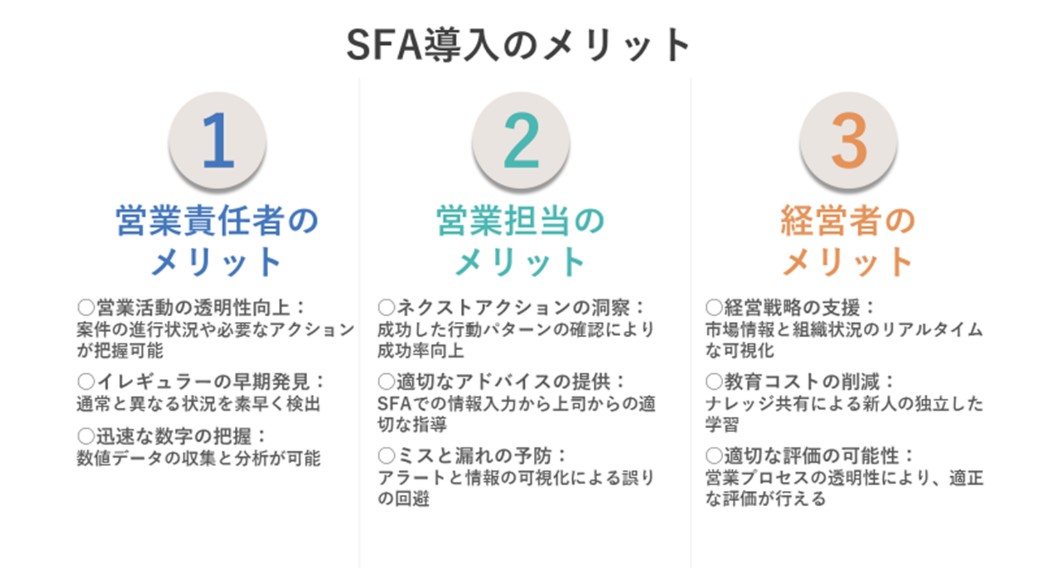
For sales managers, implementing SFA is a significant aid in improving the transparency of sales activities and streamlining operations. This allows for centralized management of critical data such as customer budgets, competitor information, and deal progress, enabling precise decision-making. Additionally, because abnormal conditions can be quickly discovered and corrected, potential losses can be minimized. Rapid access to figures significantly streamlines performance reporting and the creation of numerical reports for meetings, saving valuable time and effort.
Implementing SFA offers many advantages to field sales members as well. Through SFA, they can learn successful behavioral patterns and improve their own success rates. New hires and mid-career recruits can make self-directed decisions and achieve results quickly. Furthermore, information entered into SFA can be received as appropriate guidance and advice from supervisors, allowing for mutual learning and growth. At the same time, SFA's alert functions and information visualization prevent mistakes and oversights, making it easier to address customers who have not been visited for a long time or tasks that remain unprocessed. The burden of reporting is also significantly reduced, allowing for more effective use of time.
For executives, implementing SFA brings strategic benefits. Information regarding the market, customers, and the entire organization is centrally managed and can be grasped in real-time, enabling agile management decisions. Important data, such as industry-specific growth and reasons for won or lost deals, can be easily collected, aiding in the formulation of management strategies. Additionally, SFA implementation reduces training costs. New hires can learn from proposal materials and success patterns on their own without waiting for guidance from seniors, achieving independent results. Because SFA makes the sales process transparent, managers can be evaluated fairly, which contributes to increased motivation.
We have explained the representative benefits gained through SFA implementation above. In the next section, we will explain the functions that generate these benefits.
To support and streamline complex sales operations, SFA incorporates many functions. Here, we introduce five major functions.
Manages information on customers (prospects) who are the targets of sales activities.
In sales activities, customer management is extremely important. Customer management refers to the process of effectively organizing and managing information on customers (prospects) who are the targets of sales. In this process, you can check information related to sales, such as basic contact information, contact history, and the progress of negotiations and deals, on a per-customer basis. Thanks to customer management, sales activities can be deployed effectively, and important information can be obtained.
Grasps and manages the status of deals.
In sales, effective deal management is the key to success. Deal management is the process of organizing and effectively managing information related to deals that arise from relationships with customers. Through this process, you can accurately grasp and visualize the status of ongoing deals. Information such as deal progress, order probability, estimated amounts, and scheduled order dates can be seen at a glance, improving the efficiency of sales activities.
Grasps and manages the status of negotiations.
Negotiation management is an important part of the sales process. It is the process of recording and effectively managing information such as the negotiation partner, the sales representative, the content of the negotiation, materials used, and the results of the negotiation. Through this process, you can grasp the progress of negotiations, share negotiation content, and analyze negotiation results. The organization and visualization of information contribute to the formulation and improvement of sales strategies.
Manages the budget and performance of the sales department.
In the operation of a sales department, the management of budgets and performance is indispensable. Budget and performance management is the process of grasping sales forecasts, actual sales, and goal achievement rates numerically based on entered data. Additionally, the output reports are analyzed to help improve the entire sales department. This process enables strategic decision-making and provides guidelines for achieving organization-wide goals.
Supports the daily tasks of sales representatives, such as entering sales data like customer data and negotiation records, schedule management, and posting daily reports. It is also possible to manage activities such as the number of appointments, visits, and negotiations of sales representatives, as well as their closing rates.
Supporting the daily tasks of sales representatives is the key to effective sales activities. Activity support refers to the process of streamlining the daily tasks of sales representatives, such as entering customer data and negotiation records, schedule management, and posting daily reports. It also manages activities such as the number of appointments, visits, negotiations, and closing rates of sales representatives, contributing to improved performance. Activity support maximizes the effectiveness of sales activities and contributes to the success of the entire organization.
Recommended Articles:
[Includes Case Studies] What Can SFA Do? Explaining 5 Basic Functions
In the modern business environment, abbreviations such as SFA, MA, and CRM frequently appear and play important roles in improving corporate performance and efficiency. These tools and platforms each have different purposes and functions and are utilized in various departments of a company. In this chapter, we will focus on SFA (Sales Force Automation), MA (Marketing Automation), and CRM (Customer Relationship Management) and explore their differences and usage scenarios in detail. We will explain how these tools play different roles within an organization and how they contribute to corporate success by working together.
>> Click Here for Details on the Differences Between SFA and CRM
SFA and CRM are important tools for companies, and each plays a different role. CRM is a tool that centrally manages customer information and serves as the foundation for activities such as marketing and customer support, with the goal of maintaining and strengthening customer relationships. On the other hand, SFA is a tool that supports the organization and efficiency of sales operations and is specialized in sales support. Recently, many tools are provided by combining both SFA and CRM functions, making the differences between the two ambiguous.
SFA has strengths in managing sales activities and focuses on sales support such as deal management and account management. On the other hand, CRM specializes in managing customer information and strengthens customer relationships by enabling personalized responses to customers.
"MA (Marketing Automation)," which supports the automation of marketing activities, is a tool that supports the process of nurturing leads and reaching negotiations. By using MA, you can visualize the interests and behaviors of prospects and respond to customers at the optimal timing. Similar to SFA and CRM, we will explain the differences with MA.
MA supports the automation of marketing activities and streamlines marketing measures and data management. On the other hand, SFA supports sales, and MA supports marketing, so they focus on different purposes. MA means marketing automation and aims to streamline marketing activities to expand sales.
By linking SFA and MA, you can obtain three major effects: centralized management of information from leads to won/lost deals, smooth approaches to sales based on behavior on the Web, and improved nurturing tailored to the sales phase. By linking MA and SFA, marketing activity information can be shared with sales, enabling effective decision-making.
Finally, regarding the difference between MA and SFA, it can be simply explained that MA means the automation of marketing activities, and SFA aims for sales efficiency. SFA and MA can achieve more results by being used in conjunction.
The following table summarizes the differences between SFA, CRM, and MA.
○... Sufficient functions available
△... May not have sufficient functions, requiring operational supplementation.
×... Functions difficult to realize with the tool
| Function | SFA | CRM | MA |
|---|---|---|---|
| Customer Management | △ | ○ | × |
| Deal Management | ○ | △ | × |
| Negotiation Management | ○ | △ | × |
| Budget and Performance Management | ○ | ○ | × |
| Activity Support | ○ | △ | △ |
| Email Marketing Function | × | △ | ○ |
| Form Creation Function | × | △ | ○ |
| BI Function | △ | △ | × |
For support on the "data" side, please consult uSonar, which has one of Japan's largest databases.
See Details of uSonar
You cannot achieve results just by implementing SFA. It is important to clarify the purpose, such as "what challenges you want to solve by using SFA," and work toward it.
If there are multiple challenges you want to solve, we recommend prioritizing them in the initial stage of SFA implementation.
SFA has many functions. If you try to use all functions from the beginning of implementation, the burden on managers and the field will be significant, and the purpose will become blurred. We recommend increasing the utilization of SFA in stages, such as tackling the next challenge once the first objective begins to get on track.
Challenges that can be solved by SFA implementation include, for example, the following:
Cases where sales efficiency is lowered because customer information is not managed correctly, leading to lost negotiation opportunities, lost deals due to not grasping customer needs, or overlapping approaches to the same customer.
When SFA is implemented, customer information is centralized by registering it all in SFA, making it easier to retrieve necessary information when needed. In addition, by utilizing the registered information, it exerts effects such as improvement of sales efficiency, analysis based on data, and improvement of forecast accuracy.
Cases where overall results do not improve because managers cannot grasp the progress of deals and negotiations within the team, or appropriate budgets cannot be set because the status of each deal is unknown.
In SFA, field representatives enter the progress of deals and negotiations each time, and managers grasp and analyze that information.
Thereby, it becomes possible to analyze the probability and priority of deals. Also, there are benefits such as increased closing probability, easier forecasting and budgeting, and the ability to unearth buried deals.
Cases where sales processes and activity content vary by salesperson, are dependent on individuals, and know-how is not shared among sales representatives, or where performance is directly affected when a top salesperson leaves.
At the time of SFA implementation, we will clarify and standardize each person's sales process. Also, by thoroughly sharing information from individuals to the entire team, it is possible to aim for visualization of the sales process, reduction of risks due to resignation or transfer, and raising the level of the entire team.

SFA is populated with a lot of information, such as basic customer information, progress in the sales process, contact history, negotiation content, and deal probability.
Because analysis of deals, budget setting, and sharing of customer information are performed based on this, the accuracy of the data is a major point.
While it is the manager who uses the data in SFA to perform analysis and improvements, it is the field sales representatives who enter daily sales activities.
If sales representatives do not enter data accurately as determined, the utilization of SFA will be half-baked.
However, data entry may not go well for various reasons, such as "entry work is troublesome," "operation is difficult," or "new work was pushed from above."
To avoid such situations, utilize the input support functions included with SFA. Depending on the tool, there are various functions such as mobile input and automatic posting. Confirm with the representatives what kind of input support functions would make things easier, and set them up accordingly.
To create a situation where representatives can always enter accurate data, the management layer's attitude of always listening to the voices of the field is important. From the initial stage of implementation, create mechanisms and systems aimed at establishment in a planned manner.
Using business card management tools that can be linked with SFA to supplement input work is also one method.
Sharing the purpose of SFA implementation with the entire sales department, including field representatives, is also a point for establishing operation.
When introducing a new tool, the burden of work increases to a greater or lesser extent. By clarifying why SFA is being implemented and what benefits each person will have when it is implemented, we can get them to understand the temporary burden and encourage active utilization of SFA.
As explained so far, SFA is a tool for solving challenges in sales activities and increasing sales efficiency and performance. However, what is difficult to solve just by implementing SFA are challenges related to the development of new customers.
Developing new customers is essential for maintaining continuous sales, but it requires not only a sales perspective but also a marketing perspective.
Therefore, by using it in conjunction with MA (Marketing Automation), which can perform lead acquisition/nurturing and extraction, it can lead to the development of new customers.
Once the implementation and operation of SFA are on track,
• Marketing Automation (MA) to manage lead acquisition and nurturing
• Sales Force Automation (SFA) to manage sales activities, from conducting negotiations with acquired and nurtured leads to securing contracts
We recommend using each tool in the appropriate phase to increase sales efficiency.
Prospects will eventually be exhausted with only the data on hand. To continuously acquire prospects, it is important to find white spaces such as industries and areas that have not yet been approached, using the entire market as the denominator.
That is where a corporate database, which lists detailed information such as company names, representative names, and financial status, becomes useful.
By using a corporate database service that can be linked with SFA and MA, you can add corporate database data to the customer data and prospect data that your company already has and analyze it.
Thereby, it becomes possible to approach untapped and high-probability prospects, and it is possible to greatly boost the efficiency and results of both the marketing department and the sales department.
We will introduce Sales Cloud and Kintone as representative SFA tools.
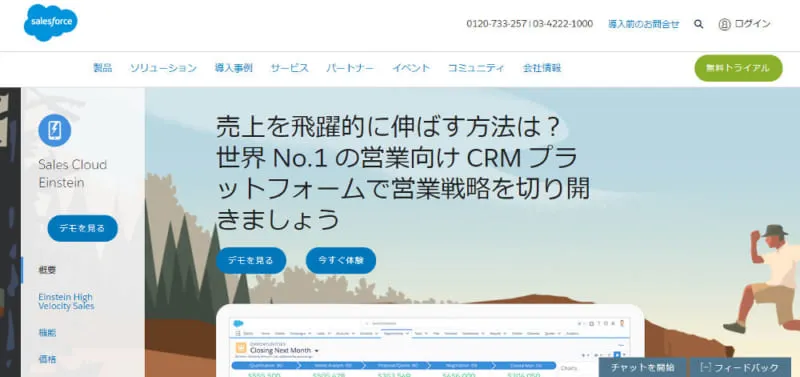
The most prominent SFA tool is Sales Cloud, provided by the U.S.-based company Salesforce. The key features of Sales Cloud are its extensive functionality and high customizability. Salesforce offers numerous other sales support tools, and by integrating them, you can utilize the platform across a wide variety of business scenarios. It also offers extensive integration with external tools, as represented by AppExchange.
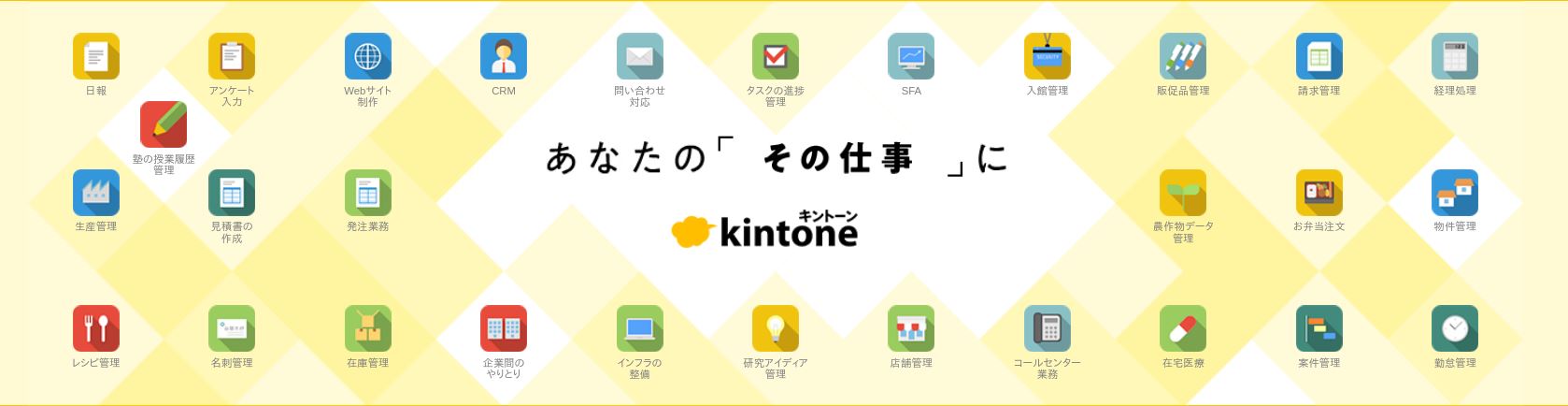
Like Sales Cloud, Kintone is a globally renowned sales support tool. The key features of Kintone are its ease of implementation and high usability, similar to Excel. Its scope of application is not limited to sales support; it is a business application creation tool that can be used in many aspects of business operations.
By integrating SFA with the SFA integration tool uSonar, it is possible to maximize the effectiveness of your implementation.
We would like to share two SFA utilization case studies from our clients:
1. Case Study: Business Breakthrough, Inc.
2. Case Study: Demaecan Co., Ltd.
Business Breakthrough, Inc. standardized its operations through a cross-departmental system, utilizing SFA to achieve a 20% increase in new business negotiations and doubling its direct mail response rate.
• Standardizing Fragmented Business Processes
• Building an Integrated System to Centralize Customer Information
• Extensive Track Record of Integration with Salesforce
• Unparalleled Data Quality and Volume, Covering Even Branch Offices and Business Sites
• New Business Negotiations Increased to 120%
• Direct Mail Response Rate Doubled
• Cross-Departmental Utilization, Including Accounting and General Affairs, Has Become Established
Details of the case study can be found here
Demaecan Co., Ltd. achieved strategic expansion of its member stores using one of Japan's largest corporate databases. By integrating the corporate database, they promoted the use of SFA, reduced operational man-hours by approximately 17 million yen, and enabled data utilization that is highly valued by frontline staff.
• Issues with the Comprehensiveness and Reliability of Store Information Required for Developing Sales Strategies
• Integrates with Salesforce and Can Be Utilized to Promote Digital Transformation (DX)
• High Data Reliability with Over 800,000 Restaurant Records Registered
• Enabled the Development of Precise Sales Strategies, Leading to Efficient Sales Activities
• Reduced Man-Hours for Store Information Maintenance and Updates by 60%, Saving Approximately 17 Million Yen Annually
• Streamlined Back-Office Operations Such as Simplified Anti-Social Force Checks
Details of the case study can be found here
SFA is an IT tool that supports various tasks related to sales activities and improves operational efficiency.
While SFA has many functions, the key to implementation is to clarify the "challenges you want to solve" and prioritize the functions that address those specific issues.
Furthermore, the accuracy of the registered data determines the success of your SFA. Therefore, it is important to build a system that is easy and intuitive for the frontline sales staff who input the data.
Once the implementation and operation of your SFA are on track, aim to further improve sales efficiency and performance by integrating it with tools that can strengthen new customer acquisition, such as Marketing Automation (MA) or corporate databases.
About the Author

uSonar Editorial Department
MX Group Editor-in-Chief
This is the uSonar Editorial Department.
We provide information on data utilization and digital technologies useful for B2B companies to consider the future of their business operations.
uSonar is utilized by
various companies across all industries and sectors.
ITreview Grid Award 2026 Summer
Leader in 6 Categories

With uSonar,
we can guide your company toward solving its challenges!
Case Studies and Sample Reports
Download