- Data Matching and Data Cleansing
Five Levels of Data Matching Explained: How to Eliminate Duplicate Data in SFA and CRM Systems
Last Updated: June 10, 2026

Click Here to Learn More About Data Consolidation and Data Cleansing ▶
Achieve High-Precision Data Maintenance:
What Is "Establishment-Level" Data Consolidation?
Companies accumulate a wide variety of information regarding customers and business partners. However, when data is managed separately by different departments or personnel, it is common for identical customer information to be duplicated or for the same individual or company to be treated as separate data due to variations in notation.
Data consolidation is essential to prevent such inefficiencies and issues, and to maximize the utility of your customer data.
In this article, we provide a detailed explanation of data consolidation, covering its overview, necessity, and benefits, as well as practical implementation methods, key considerations, and the advantages of adopting tools to streamline the process. If you are struggling with managing your customer data, we invite you to read this article to the end.
Table of Contents
1-1What Is Data Cleansing: Consolidating Duplicate Customer Information Across Multiple Databases
1-2Reasons and Benefits of Data Cleansing
2Risks and Common Failures of Neglecting Data Cleansing
3Characteristics of Companies That Should Implement Data Cleansing
3-1Managing Customer Data Across Multiple Departments and Systems
3-2Operating Across Multiple Locations, Such as Franchises or Group Companies
3-3Utilizing SFA, CRM, or MA Tools
3-4Experiencing Corporate Mergers, Acquisitions, or System Migrations
3-5Accumulating Data Without Leveraging It for Analysis or Strategy
4A Four-Step Guide to Data Cleansing
4-33. Performing Data Cleansing
5Points and Countermeasures for Successful Data Consolidation
6Benefits of Implementing Specialized Data Consolidation Tools
7Data Consolidation Case Studies
7-1Centralizing Approximately 5 Million Data Records (Service Industry)
7-2Driving SFA Adoption Through Customer Data Consolidation (Financial Industry)
Recommended Articles
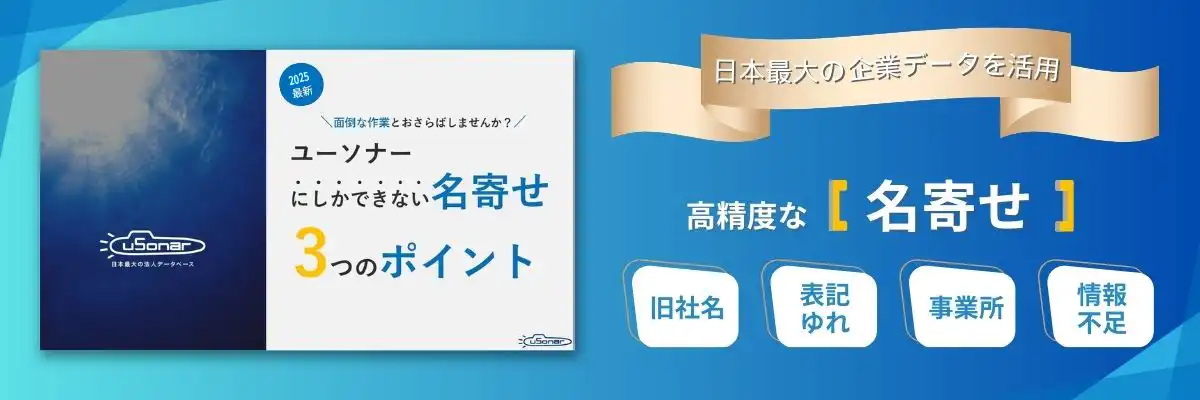
Data matching is the process of resolving duplicate data, which is a common issue in customer information management. We explain its necessity, benefits, and more in detail below.
Data matching is the process of identifying overlapping customer information registered across various databases and integrating data related to the same entity into a single record.
While it originated from account management in failed financial institutions, it is now widely used by companies to organize and integrate their customer data.
For example, it is common for the same individual to be registered as separate entries due to minor differences, such as "Taro Yamada" versus "TaroYamada" with or without a space. Even for company names, official names, abbreviations, and former names may coexist, preventing the system from recognizing them as the same entity.
Data matching unifies these variations in notation and differences in input rules to accurately consolidate data that should belong to a single record.
The reasons for and benefits of data cleansing are as follows:
If customer data is left without being cleansed, duplicates and inconsistent formatting will hinder analysis and marketing efforts, preventing the acquisition of accurate insights.
Sending direct mail repeatedly to the same recipient or having multiple representatives call the same contact can lead to customer distrust and complaints. Data cleansing enables a consistent approach.
By utilizing centralized information, you can provide appropriate approaches tailored to customer needs, ultimately resulting in improved customer satisfaction and more efficient sales operations.
Performing duplicate direct mail, phone calls, or email distributions not only increases printing and communication costs but also gives customers the impression that your management is sloppy or overly persistent.
If different individuals with the same name are merged into one record due to inconsistent formatting, there is a risk that information may be sent to the wrong recipient.
Creating reports based on customer data that contains duplicates can lead to errors in measuring the effectiveness of initiatives or selecting target audiences, resulting in wasted marketing expenditures.
In companies where sales, marketing, and customer support departments manage customer data in separate systems, information on the same customer becomes fragmented, making it difficult to grasp the overall picture. Every time departments attempt to cross-reference information, reconciliation tasks arise, placing a strain on the staff's man-hours.
In particular, if you feel that your SFA or CRM is not being fully utilized by the team or that the entered data is unreliable, the root cause is often data duplication or inconsistencies in notation.
* For actual case studies, please refer to the "Data Cleansing Case Studies" mentioned later in this document.
In companies where sales activities are conducted across multiple locations, such as headquarters, branch offices, and franchises, data held by each location tends to become siloed, making it difficult to grasp the transaction status of the entire group. If sales approaches are made without knowing whether another branch is already doing business with that company, it can lead to duplicate approaches, resulting in customer distrust or complaints.
* For actual case studies, please refer to the "Data Cleansing Case Studies" mentioned later in this document.
Marketing automation and sales support tools only perform at their full potential when backed by accurate customer data.
If data containing duplicates or inconsistent notations is imported, segmentation becomes distorted, and tools may send multiple emails to the same individual, effectively halving the tool's impact. If you have implemented tools but are not seeing the expected results, reviewing your data quality should be your first priority.
When databases are consolidated due to M&A or system replacements, different coding systems and formats often coexist, leading to a massive influx of duplicate data.
If left unaddressed after integration, duplicate data will continue to snowball, increasing the cost and man-hours required for future maintenance. Implementing data cleansing at the time of migration is essential for maintaining long-term data quality.
Many companies find themselves in a situation where they have data but cannot utilize it. The primary cause is low data accuracy resulting from duplication, missing information, and inconsistent formatting.
Analysis based on inaccurate data leads to overestimation of customer counts and misconfiguration of target segments, resulting in wasted marketing investment. Data matching is an essential preprocessing step to transform data from a stagnant asset into a powerful, actionable weapon.

Below, we explain the specific workflow for data matching.
It is broadly divided into four steps: (1) Data Investigation, (2) Data Extraction, (3) Data Cleansing, and (4) Data Matching.
The first step is to understand the current situation.
Identify which departments, systems, and tools contain customer data and clarify the goals for data matching.
Define the sources of duplication and the desired level of consistency for the final database.
Next, extract the fields necessary to identify customers from each database.
Data Cleansing is the process of correcting or deleting inconsistencies and errors to ensure data integrity. Specific examples include:
Based on the information unified through data cleansing, determine whether records are identical by combining multiple fields (keys) such as company name, phone number, and address.
A point to note is company name matching. This is because there are many cases where company names have changed due to mergers, office locations have changed due to relocation, the same company is registered with different prefixes or suffixes, or they are registered under abbreviations rather than official names.
Using a dedicated data matching tool is effective for achieving higher precision.
For more detailed data matching procedures, click here:
A 5-Level Guide to Data Matching: How to Eliminate Data Duplication in SFA and CRM Systems? ▶︎
Since data matching involves handling personal information, the risk of misdirected mail or data leaks increases.
Proceed with caution by adhering to standards such as the Act on the Protection of Personal Information and the Privacy Mark (P-Mark) system, ensuring that individuals with the same name are not incorrectly merged and that security for data storage environments is strengthened.
Matching cannot be integrated accurately if inconsistencies and omissions are left unaddressed.
It is important to implement measures to improve the quality of data cleansing, such as creating a formatting unification manual and establishing regular audits and double-check systems.
To reduce the effort required for data matching, it is important to build a system where duplication is less likely to occur in the first place.
- Unify input rules (utilize company ID codes that serve as keys for matching)
- Introduce mechanisms to automate duplicate checks during data registration
- Develop a foundation that facilitates easy integration between departments and systems
The benefits of introducing a specialized tool are the reduction of man-hours and the improvement of data matching accuracy.
To perform data matching, it is necessary to constantly verify changes in company or office information and maintain the latest data. Performing these tasks with internal resources requires a massive amount of man-hours. Furthermore, it is not easy to guarantee accuracy, as the content verified may vary depending on the person in charge.
By introducing a specialized data matching tool, you can achieve high-precision data matching that is not dependent on the skills of the person in charge, while significantly reducing man-hours.
At Duskin Co., Ltd., which operates a nationwide rental service for cleaning and hygiene products, corporate data was managed separately by the Corporate Sales Division, regional headquarters, and individual franchisees. This resulted in approximately 5 million corporate data records becoming siloed across the entire group.
Under these conditions, it was impossible to verify whether a company was already an existing client of the group, leading to inefficient sales activities. Furthermore, there was a lack of foundational data, such as corporate affiliation information, which is essential for sales strategy, making it difficult to develop high-precision account plans.
Following the implementation of uSonar, the group was able to centrally manage corporate data at the business location level. This enabled the visualization of market share by location, such as identifying that 'only 3 out of 12 locations of a client in a specific region are currently utilizing our services.' This clarified where sales representatives should focus their efforts and improved the accuracy of their proposals.
Click here for details on this case study: Consolidating Approximately 5 Million Siloed Data Records and Visualizing Group-Wide Transaction Share ▶︎
Mitsubishi UFJ NICOS Co., Ltd., a core company of the Mitsubishi UFJ Financial Group providing corporate payment services, aimed to centralize sales information using Salesforce but struggled with adoption for many years. The primary cause was the duplication and inconsistency of customer data.
Because the company allowed corporate names to be registered in inconsistent formats—such as Kanji, Katakana, or alphabet characters—depending on the individual representative, the same company was frequently registered as multiple separate customer records. This made searching and centralized management impossible, creating a vicious cycle where the field team could not effectively utilize Salesforce despite its implementation.
The situation changed dramatically once uSonar enabled data cleansing and unique identification at the corporate entity level. As the project manager reflected, 'Without uSonar, this project would not have been a success,' data cleansing became the decisive factor in driving SFA adoption. For companies struggling to leverage CRM and SFA tools due to data quality issues, data cleansing is an essential step that cannot be overlooked.
For Details on Case Studies: Achieving Salesforce Adoption with uSonar: LBC Powers Customer Data Matching and Unification ▶
Since data matching involves large volumes of data and significant manual effort, we recommend using a dedicated tool to ensure efficiency and accuracy.
uSonar, which is powered by one of Japan's largest corporate databases, LBC (Linkage Business Code), enables high-precision data cleansing, allowing you to maximize the use of customer data for sales and marketing.
Once a database is built, changes such as company name changes, mergers, and reorganizations are automatically maintained, allowing you to use the information with confidence. A dedicated team for data construction and maintenance updates the data daily to maintain accuracy, enabling reliable customer management based on precise data.
uSonar also features functionality to list and select high-probability target customers. By combining various search criteria to create target lists, it can be utilized as an ABM tool that reduces the time spent on targeting and realizes efficient sales activities.
For more information on uSonar, a service that streamlines data matching, please see here.
Customer Data Integration Solution uSonar ▶
This article summarizes three key points: 1) Data matching is the process of integrating duplicate data across multiple databases, 2) Neglecting it leads to increased sales costs and distorted management decisions, and 3) Utilizing specialized tools allows for both accuracy and efficiency.
Data matching is the process of resolving duplicates and inconsistencies in customer information scattered across multiple databases to unify them. Through data matching, you can advance data visualization and enhance customer engagement and marketing. It also helps prevent information silos and improves operational efficiency.
Data matching is an essential task for organizing and managing customer data, and when performed accurately, it can lead to improved quality of customer service and the implementation of effective marketing.
To improve the efficiency and accuracy of data matching, the introduction of a specialized tool is recommended. uSonar is a tool equipped with LBC, one of Japan's largest corporate databases, capable of high-precision data matching and data cleansing. It is also equipped with ABM features, which can be utilized for strategic marketing activities.
We hope this article helps you move forward with your customer data matching and data cleansing initiatives.
You can download the materials for free from the button below, so please check them out as well.
About the Author

uSonar Editorial Department
MX Group Editor-in-Chief
This is the uSonar Editorial Department.
We provide information on data utilization and digital technologies useful for B2B companies to consider the future of their business operations.
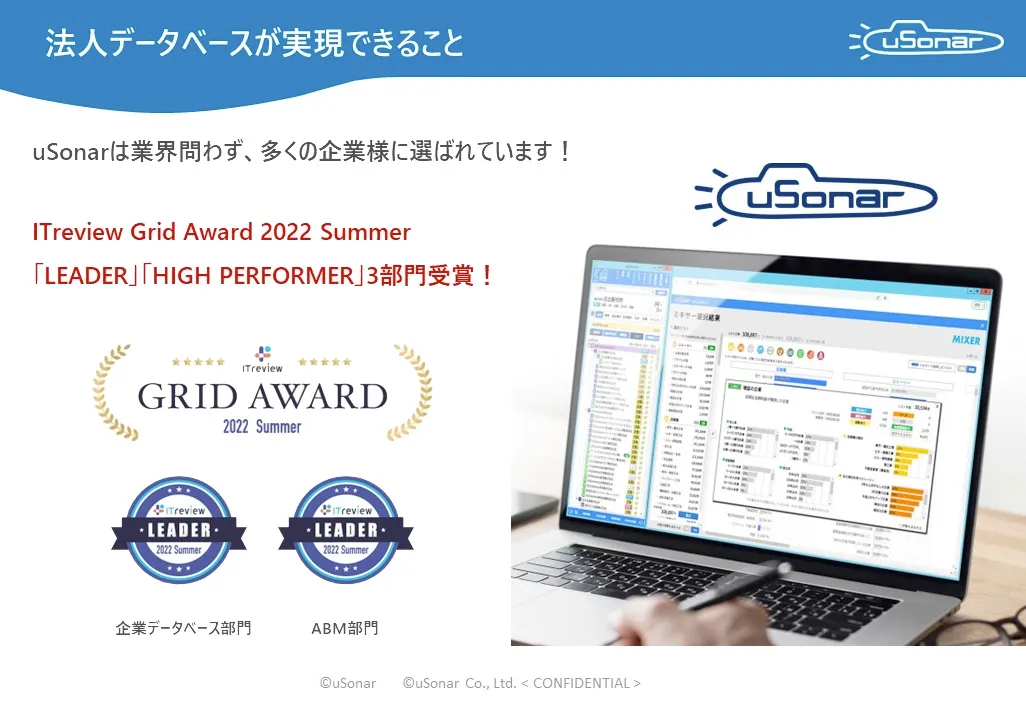
uSonar is utilized by various companies
across all industries and sectors.
ITreview Grid Award 2026 Summer
Leader in 6 Categories

With uSonar,
we can guide your company to solve its challenges!
Case Studies and Sample Reports
Available for Download