

Meishi Sonar
View mSonar
* The latest business card management application currently offered is mSonar. This Meishi Sonar was renamed following the acquisition of the service "THE Meishi Kanri Business" provided by NTT DATA NJK Corporation in December 2024.


Meishi Sonar

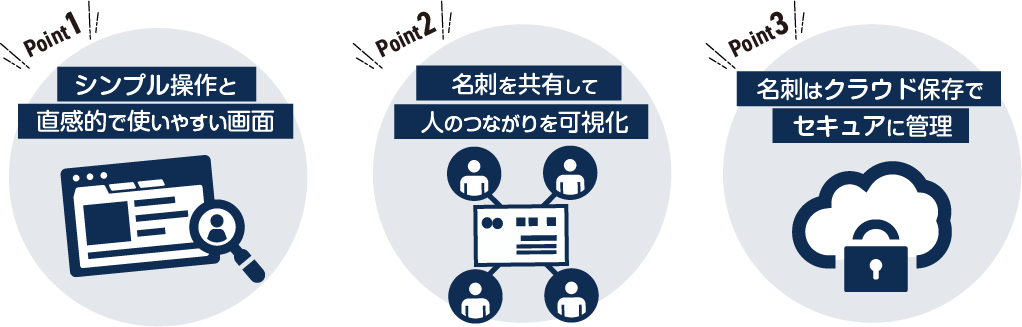
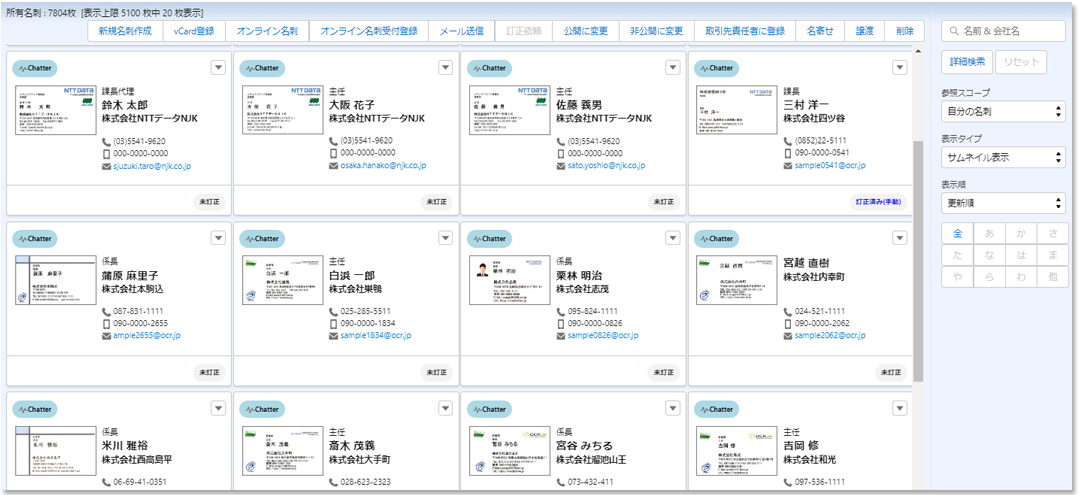
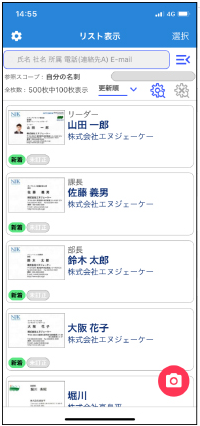
The interface for viewing and searching business card data is simple and intuitive. Access the information you need or essential functions with a single touch.
Business card data is displayed as thumbnails and can be sorted by name, company name, or registration date, making it easy to view and search. An Excel-like list view without thumbnails is also available.
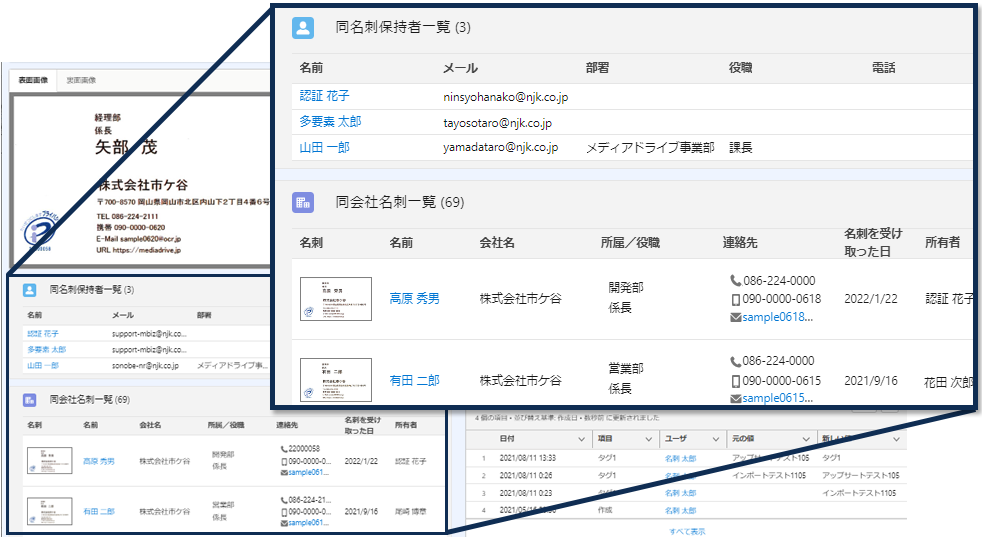
Furthermore, business cards from the same individual or company held by other colleagues are displayed on the same screen, providing immediate visibility into your internal network.
We now support English, allowing for global use.
Centralizing your business card management visualizes your professional connections. You can share cards across the entire company, organize them by department or role, and configure various access permissions, such as restricting subordinates from viewing their supervisors' cards or keeping specific cards private.
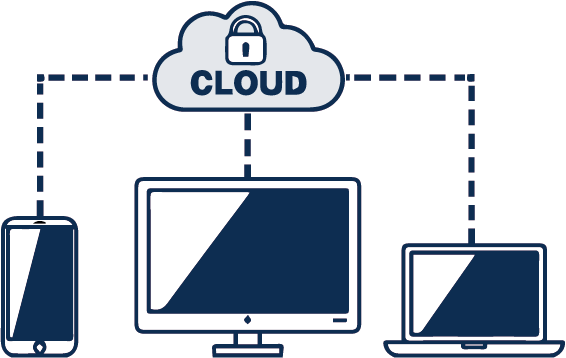
Business card data is managed on the Salesforce cloud, protected by robust security. Since no data remains on PCs or smartphones, you can respond immediately in the event of loss or theft.
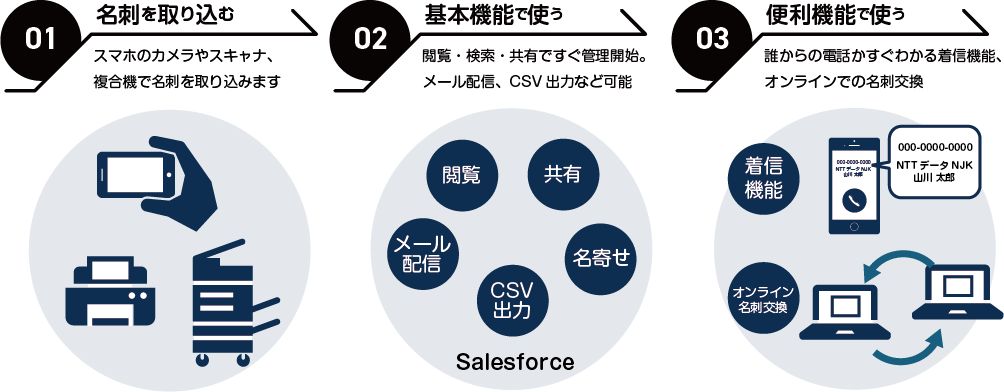
All users need to do is import their business cards using a smartphone or scanner. You can immediately begin sharing and utilizing your business card data.

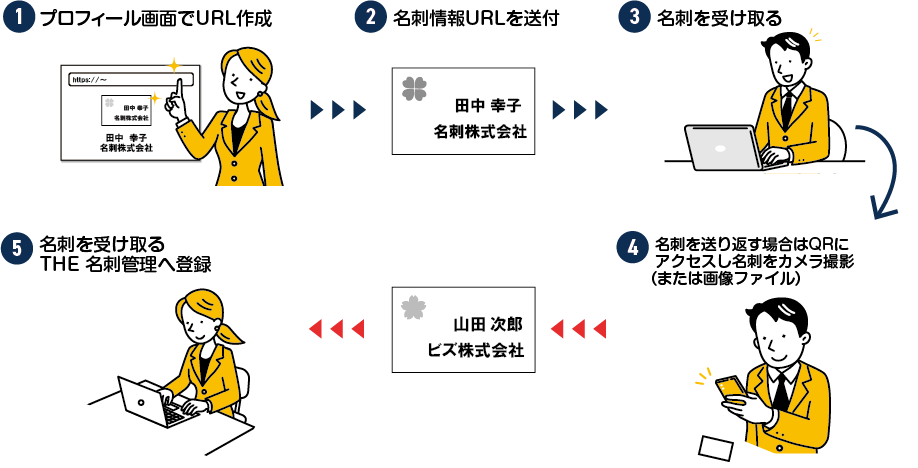
Send a URL containing your registered business card information; the recipient can access this URL to receive your card. The exchange is completed by having the recipient scan the QR code on the screen or by sending a business card image file.
Utilizes an OCR engine with high-performance recognition capabilities. We continuously update the recognition engine to achieve accuracy that eliminates the need for manual corrections.

In addition to dedicated scanners, you can register business cards using your existing multifunction printers, scanners, image files, or smartphone cameras.
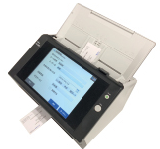
The dedicated N7100E scanner can be installed on the office floor for shared use by all employees. Upon returning from an outing, you can register business cards instantly with a single button press.
*Requires the separate PFU network scanner N7100E and dedicated software. This model is currently discontinued and is no longer available for new users.
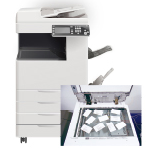
You can register business cards using your existing multifunction printer or scanner. By loading multiple cards and scanning both the front and back, you can register both sides of the cards.
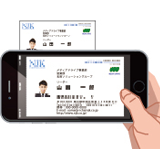
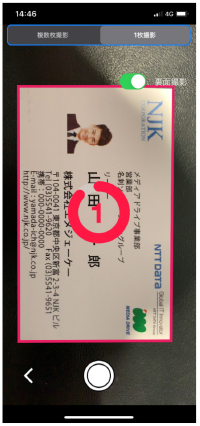
You can easily register business cards by capturing them with the camera button in the Meishi Sonar smartphone application.
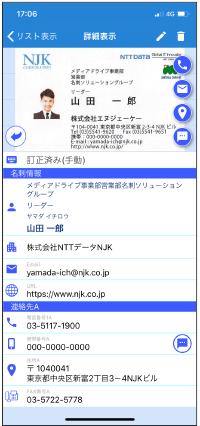
We provide a dedicated smartphone integration application. Since it accesses business card data on Salesforce, no business card information is stored on the smartphone device, ensuring security in the event of loss or theft. Beyond searching and viewing business cards, you can send emails or make phone calls with a single touch. If you receive a call from a phone number registered on a business card, the company name and contact name will appear on your smartphone screen. Additionally, if you receive a call from a colleague registered as a Salesforce user, their department and name will be displayed. Upon receiving a business card, you can register it immediately using the camera, allowing for instant information sharing with your team.
Whether you have already implemented Salesforce or are managing business cards for the first time, there are significant benefits.


For environments where Salesforce is already implemented, installing the Meishi Sonar application allows you to manage business cards within your existing organization. It also enables seamless registration and updates of business card information to Leads and Contacts. In addition to managing business cards with existing users, the license includes the ability to create new users who can exclusively use business card management features due to our OEM offering. You can share business cards via roles and public groups, and perform data aggregation and exports using reports. It is the easiest way to introduce business card management as a lead source that requires no manual entry.

Even if you have not implemented Salesforce, Meishi Sonar can be used as a standalone application running on the Salesforce platform for business card management. While you may not use Salesforce's sales support functions, you can manage business cards with the high-level security provided by Salesforce. You can add sales support functions or various other applications to the same environment in the future. Since the primary management and configuration, including business card management, are common within Salesforce, you can keep the burden of system implementation low.
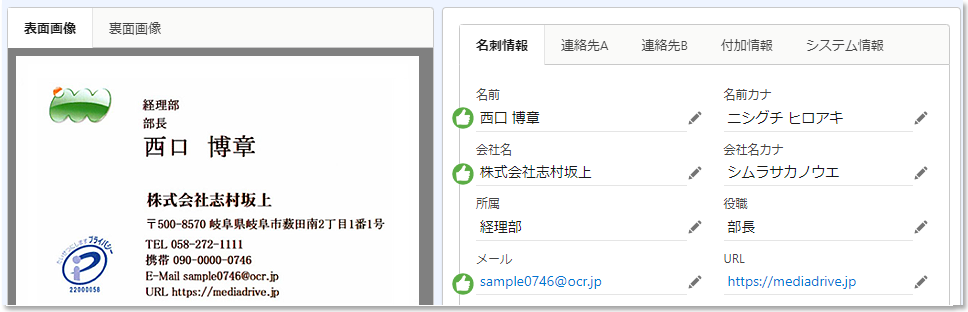
A Good icon is displayed for items where the recognition result is determined to be over 99% accurate, simplifying the user's verification process.
Furthermore, we cross-reference information with 12.5 million corporate records to convert business card company names, addresses, phone numbers, and URLs into accurate data. This minimizes the need for manual corrections and achieves low costs.
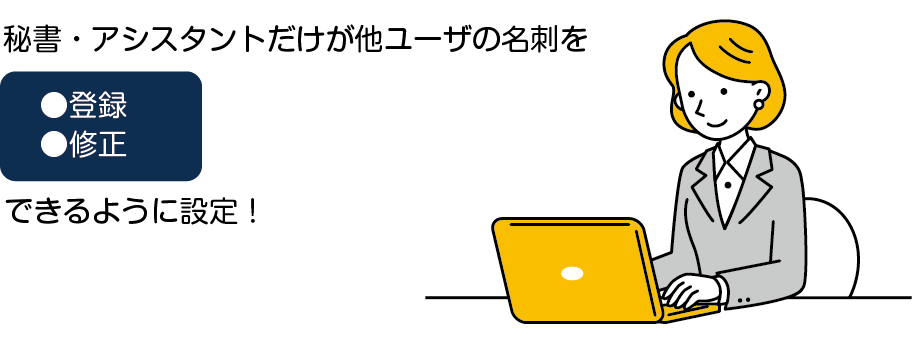
We provide Assistant privileges for registering other users' business cards and Secretary privileges for editing them. You can designate specific personnel to handle bulk registration and editing.
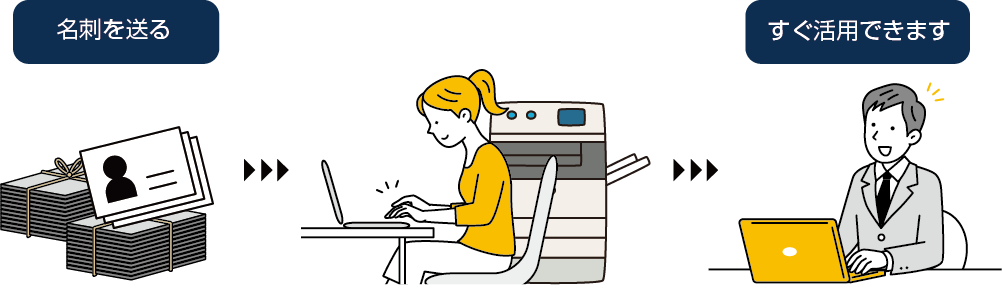
This service allows you to send us your physical business cards, which we will scan and register directly into Meishi Sonar. By combining this with our Correction Service, you can utilize accurate data immediately. This is highly recommended for users with a large volume of paper business cards.
* The Scanning Service and Correction Service are optional.
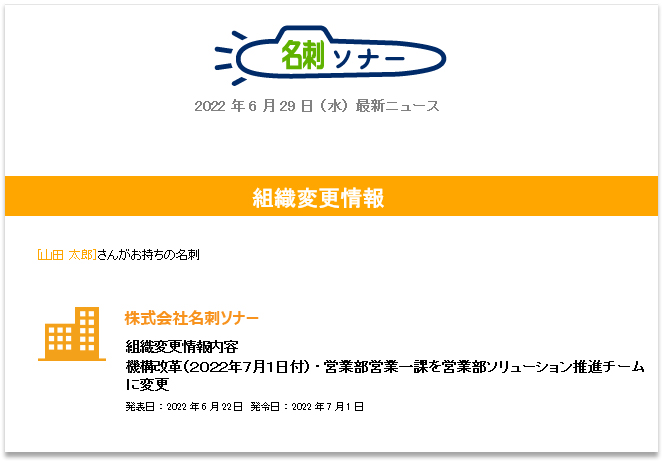
We cross-reference your business cards with the latest personnel changes and organizational restructuring information. When a match is found, the owner is notified via email with the updated organizational or personnel details, allowing you to acquire client information promptly.
You can also update your business card data to reflect the latest information.
* The Personnel Change Notification Service is optional.
Integrated with uSonar, one of Japan's largest corporate databases containing 12.5 million locations. It corrects variations in company names and updates addresses and phone numbers, enabling smooth and efficient data cleansing and consolidation.
* A separate uSonar contract is required.

| 1 User License | Please Contact Us |
| Initial Implementation Fee | Please Contact Us |

* For detailed specifications, please refer to About the Correction Service.

| Salesforce Operating Environment | Salesforce Enterprise Edition or higher * Lightning-exclusive service (Not available in Classic) * Operates as an AppExchange application. * For details, please refer to the PDF: Service Overview |
| Maximum Registration Capacity | Approximately 5,000 records per user |
| Data Storage Location | Cloud (Salesforce Platform) |
| Image Size | Maximum A3 Size Approximately 10 sheets can be set on the A3 screen |
| Image Color | Black and White Binary, Grayscale, Color |
| File Format | JPEG/PNG/TIFF (Single Page) |
| Image Resolution | 400 dpi or 600 dpi (Automatically converted to 300 dpi during recognition) |
| Scanning Side | Duplex / Simplex |
| Scanner | Fujitsu N7100E (Meishi Sonar dedicated app available) *Discontinued and no longer available for new provision Commercial document scanners and multifunction printers (via scanning application) Scanners compatible with TWAIN standard drivers (via scanning application) |
| Smartphone Camera | 5 Megapixels to 23 Megapixels (Supported smartphones only) |
| PC | Internet Browser (Windows/Mac) • Google Chrome • Microsoft Edge (Chromium Version) • Mozilla Firefox * Please use the latest stable version of each browser |
| Tablet / Smartphone | iPad (iPadOS 15.0 or later), iOS (iOS 15.0 or later), Android (Android 10.0 or later) |
| Recognition Language | Japanese/English (Automatic Detection), Chinese/Korean |
| Corporate Database Matching Conversion | Japanese (Company Name, Company Name Kana, Address A, Phone Number 1A, Fax Number A, URL fields) |
| Recognition Accuracy Assessment | Japanese Recognition (Company Name, Name, Email Address) |
| Supported OS | Windows11/10 |
| Batch Continuous Loading | Up to 999 Cards |
| Supported Software | Yasashiku Meishi Filing PRO v.15.0 (Includes Images) |
| Import | Bulk CSV Import Available |
| Correction Service Items | Company Name, Company Name (Kana), Department/Position, Position, Name, Name (Kana), Email Address, Phone 1A, Fax Number A, Mobile Phone (A), Address (A), URL * For detailed specifications, please refer to About the Correction Service |

Please read the following Terms of Service carefully before applying.
* The Meishi Sonar Subscription Agreement agreed to during the free trial will continue to apply if you use the paid service after the free trial ends.
Apply for the Meishi Sonar Free Trial
You can try the free trial version for 30 days for up to 5 users.