


Generated at: 2026-05-14 12:20:24


Customer Data Integration Solution
uSonar

Proprietary DataOne of Japan's Largest Corporate Databases

Finding Your High-Potential Prospects! uSonar's
Customer Data
Integration Solution

uSonar
  • 12.5 Million
    Corporate Records
  • SFA/MA
    Integration
  • Continuous
    Cleansing
  • ITreview Grid Award 2026 Spring
  • Corporate Database
    ABM Tool
    Sales List Creation Tool
    Sales Enablement Tool
    Anti-Social Forces Check Tool
    Business Card Management Software
uSonar Service Brochure ITreview Grid Award 2026 Spring Winner Download uSonar Service Brochure


BENEFITWhat You Can Do

From the start of sales activities to closing, you can leverage integrated data to solve challenges at every phase.

BENEFIT01

Create New Prospect Lists

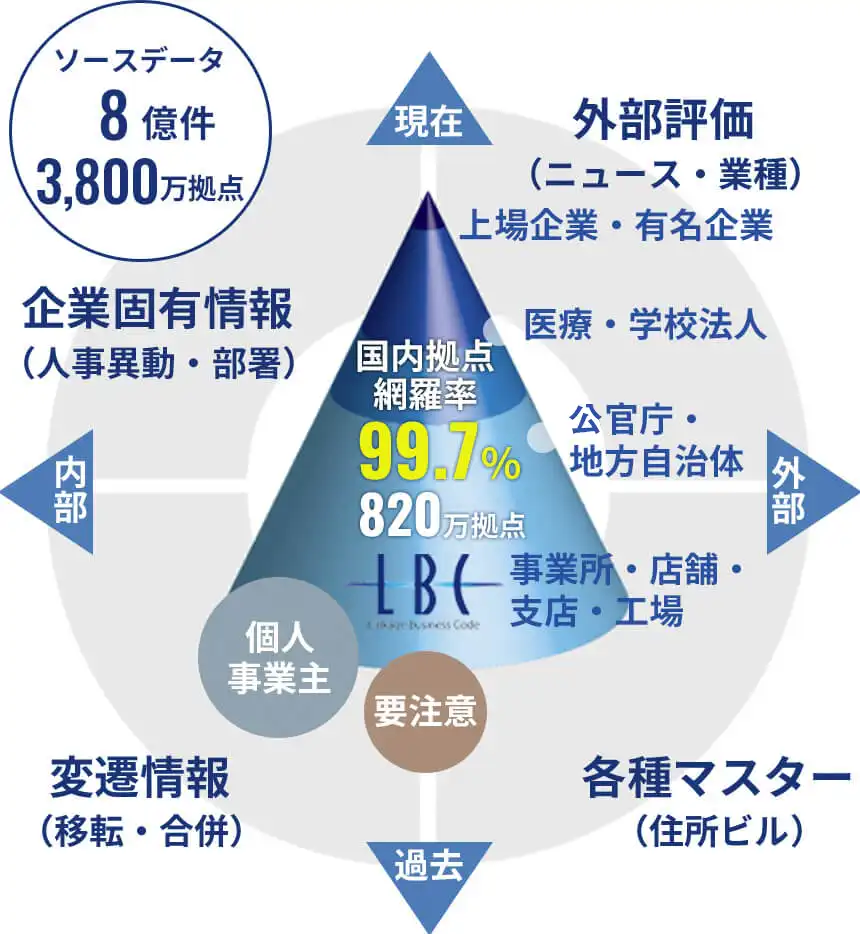
Using our 12.5 Million Corporate Database, LBC,
create Sales Lists that lead to orders

The uSonar corporate database covers all domestic business locations. You can understand capital affiliations and the relationships between headquarters and branch offices, enabling effective group-wide account strategies. Additionally, you can extract lists based on news, implemented services, and website visitor activity.

  • POINT01

    One of Japan's Largest
    12.5 Million Locations
    Corporate Database
    *Based on our research

  • POINT02

    Group Companies and
    Business Locations
    information available

  • POINT03

    Understand trends in
    Companies, Industries, and Similar Businesses

Creation of New Prospect Lists

BENEFIT02

Verification of Transaction Safety

Credit, Anti-Social Forces, and Compliance Checks
Conducted Instantly Before Outreach

Beyond simply determining transaction eligibility, you can negotiate transaction terms based on the level of risk from the very beginning of your approach.

  • POINT01

    Identify Target Companies
    Without Confusion
    With Companies of Similar Names

  • POINT02

    Evaluate Negative Information on the Web
    And 30 Years of Newspaper Articles

  • POINT03

    Track Officer Names,
    Past Addresses and Company Names,
    Corporate Groups, and Business Relationships

Verification of Transaction Security

BENEFIT03

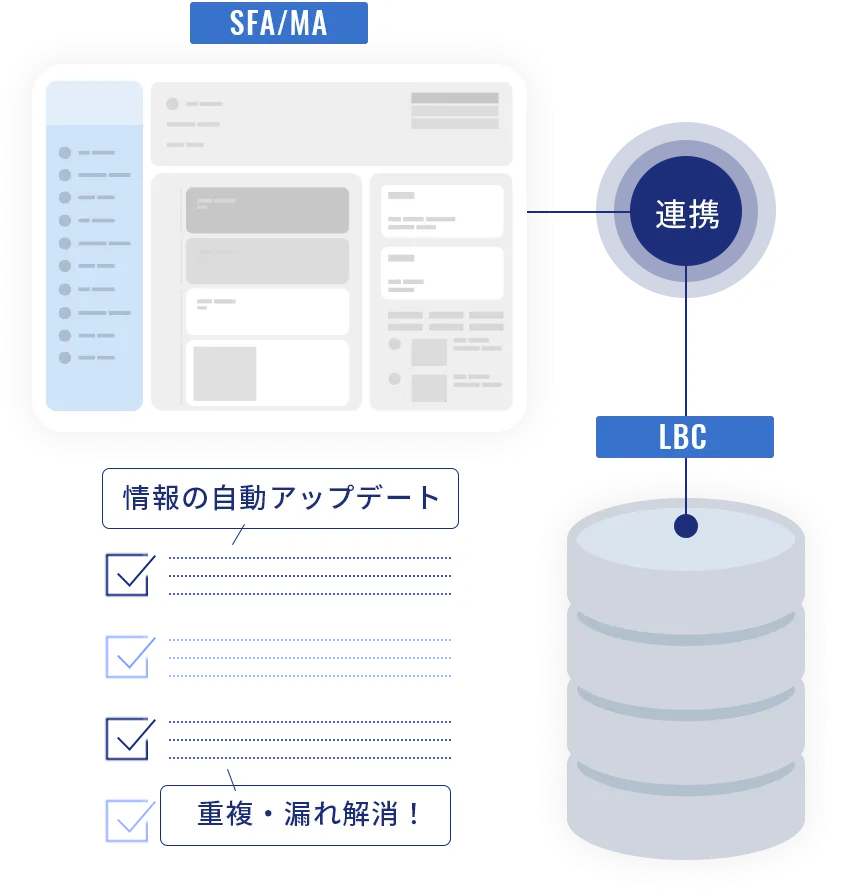
Reduction of Registration and Maintenance Workload

Achieve High-Precision Cleansing and Data Consolidation
at the Business Location Level
Using LBC as Master Data

Using LBC as a dictionary, we perform high-precision cleansing and data consolidation for scattered customer and lead data. Furthermore, you can supplement missing information using LBC. This allows for simple and accurate registration of business partners and ensures that data remains up-to-date after registration.

  • POINT01

    Maintain SFA/MA Data
    in a Constantly Updated State

  • POINT02

    Leverage Diverse Information
    Linked Through Customer Registration

Reduction of Registration and Maintenance Man-Hours

BENEFIT04

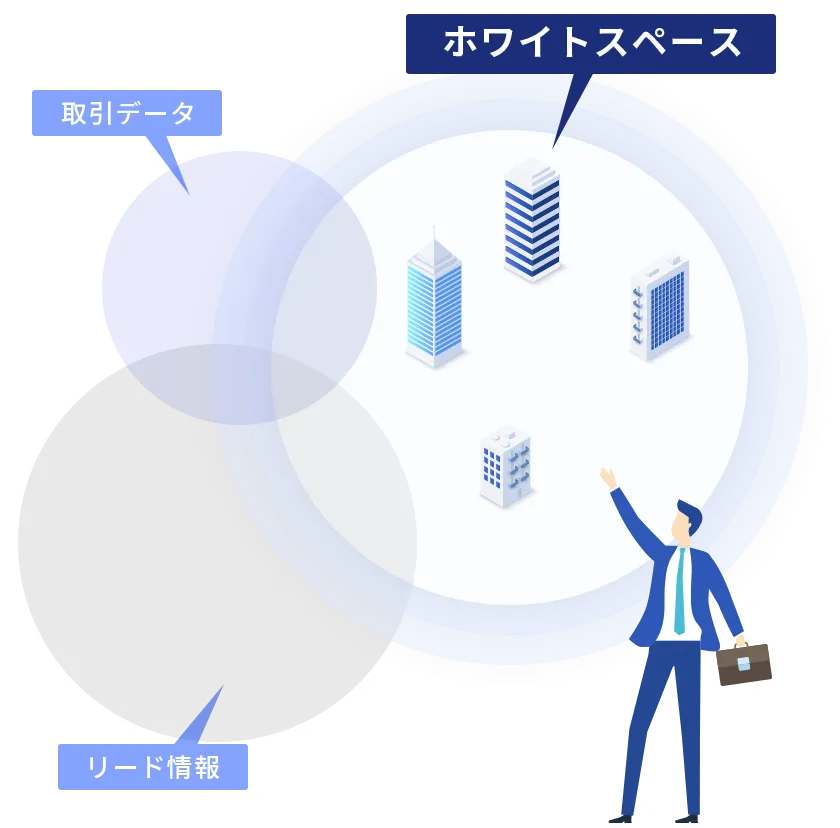
Understanding the Market (Whitelist)

Integrate Lead and Account Data with LBC
Visualize Priority Target Accounts

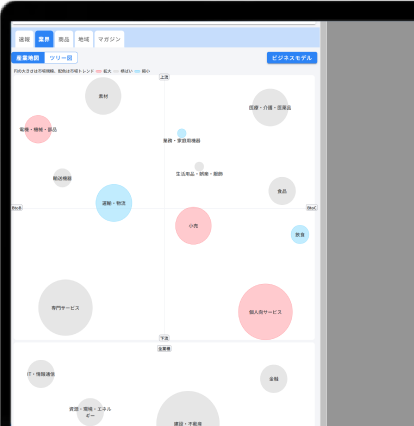
By centralizing customer data, we visualize "white space" opportunities. Since LBC covers corporate entities nationwide, you can grasp penetration rates by attributes such as revenue, scale, area, and industry, making it easier to determine which segments to target.

  • POINT01

    Grasp
    Your Service Penetration Rate
    by Revenue, Area, and Industry

  • POINT02

    Determine
    High-Potential Prospects
    via AI-Driven Demand Measurement

  • POINT03

    Identify
    Interested Prospects
    Using Intent Data

Understanding the Market (Whitelist)

BENEFIT05

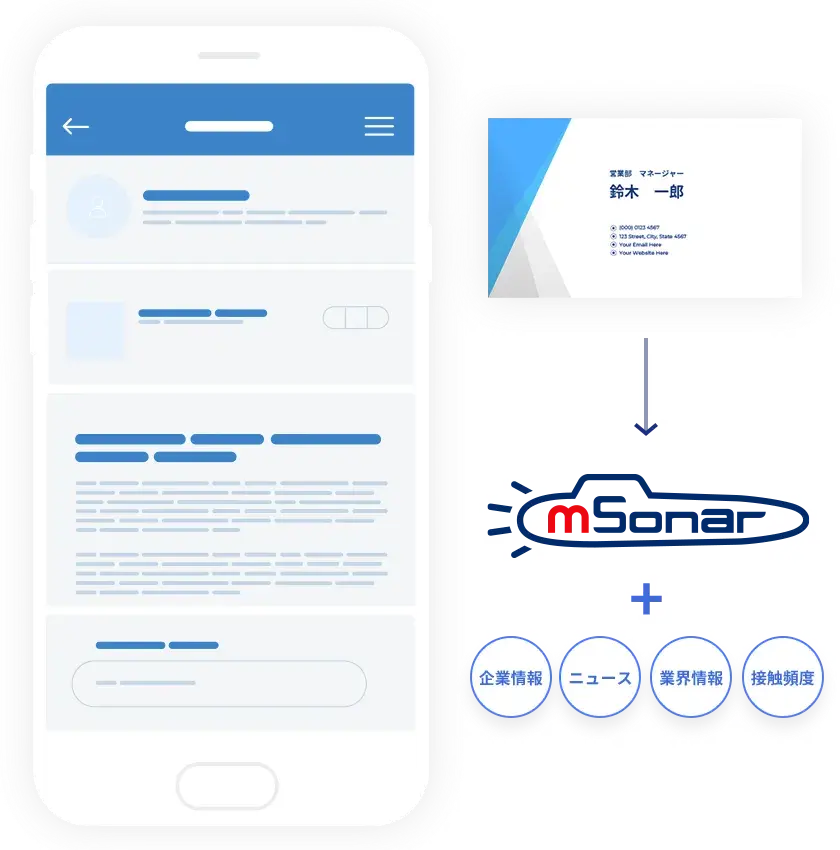
Business Card Management and Utilization

Advanced Business Card Information Management
Visualizes Prospect Information to Increase Conversion Rates

Capture business cards via camera or scanner to instantly digitize and integrate them into uSonar. Data becomes immediately available in linked CRM and SFA systems. Gain insights beyond basic business card details to execute effective approaches faster.

  • POINT01

    Instant Integration with SFA/MA
    After Scanning Business Cards

  • POINT02

    Visualize the Status of Prospect Companies
    and Connections with Key Decision Makers

  • POINT03

    Valuable Information for Sales Meetings
    Accessible via Smartphone

Business Card Management and Utilization

ABM TOOLPracticing ABM to Scientifically Enhance Sales

Access Necessary Information Anytime, Anywhere
Within Your Sales Workflow.

Leverage Daily Updated External and Internal Information to Enable More Sophisticated Sales Activities.

  • STEP01

    Clarification of
    Target Accounts

  • STEP02

    Approach to
    Potential Targets

  • STEP03

    Lead Registration,
    Attribute Assignment,
    and Analysis

  • STEP04

    Nurturing
    Prospective Leads

  • STEP05

    Efficient
    Sales Activities

  • Clarification of Target Segments
  • Approaching Potential Targets
  • Registration, Attribute Assignment, and Analysis of Acquired Leads
  • Nurturing Promising Prospects
  • Efficient Sales Activities

STEP01

Clarification of Target Audience

Create lists by combining
diverse attributes beyond just industry and business type.

Instantly create lists for
corporate groups and untapped business locations.

Related FunctionsRelated Functions

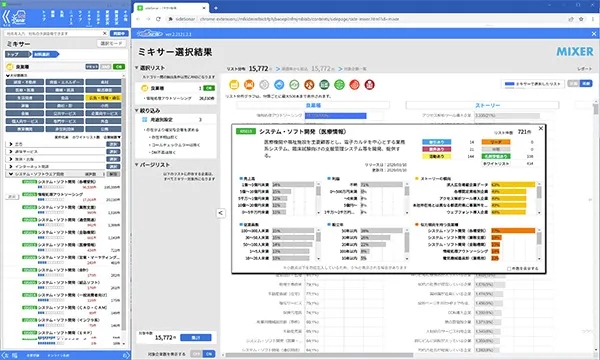
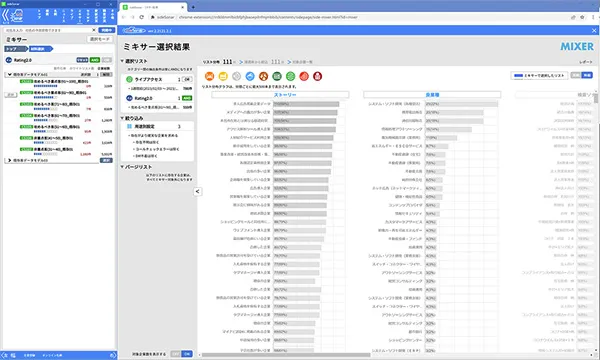
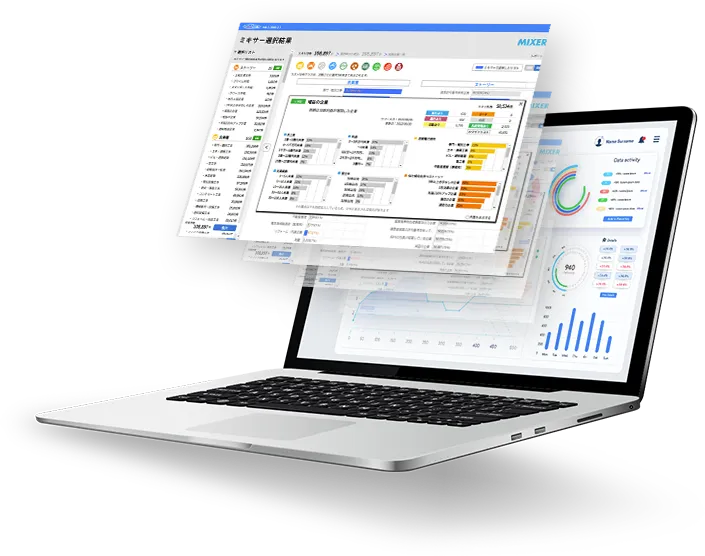
  • MIXER MIXERRegistration and Search Create target lists by combining a wide variety of search criteria.

STEP02

Approaching Potential Targets

Detect the needs, interests, and concerns of untapped companies to
visualize companies with high order probability.

Related FunctionsRelated Functions

  • AI List AI ListAssigned Attributes Scores and determines the conversion potential of companies based on data accumulated daily.
  • Interest Signal Interest SignalAssigned Attributes Enables precise targeting based on corporate intent data derived from web behavioral history.

STEP03

Lead Registration, Attribute Assignment, and Analysis

Register lead information easily and accurately, and
integrate and consolidate information dispersed across various tools.
LBC assigns relevant information.

Related FunctionsRelated Functions

  • DeepCheck DeepCheckAssigned Attributes Verify various suitability information for business partners and lead companies directly within your SFA.

STEP04

Nurturing Promising Prospects

Understand corporate status and trends to execute
timely, needs-based proposals.

Related FunctionsRelated Functions

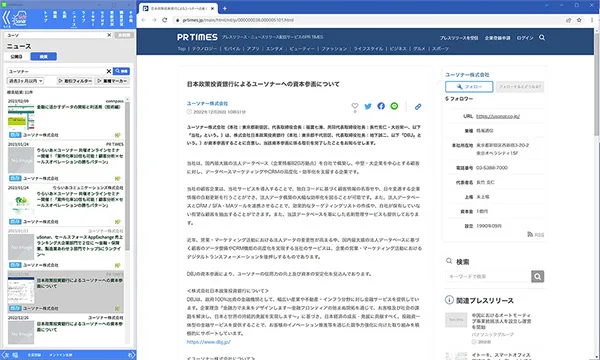
  • News NewsAttributed Data Access media coverage information, such as press releases.

STEP05

Efficient Sales Activities

Conduct efficient sales negotiations with high-priority targets
that lead to successful orders.

Related FunctionsRelated Functions

  • Meeting Sonar Meeting SonarInternal Information Instantly initiate web meetings with the party you are currently speaking with by phone.

FUNCTIONKey Features

STEP 01 Clarifying Targets STEP 01Clarifying Targets

  • Corporate Groups/Business Locations Corporate Groups/Business LocationsAssigned Attributes Equipped with LBC, a specialized corporate data database covering business locations.
  • MIXER MIXERRegistration & Search Create target lists by combining a wide variety of search criteria.
  • TRANS TRANSRegistration & Search Import external lists, assign LBC data, and utilize them effectively.

STEP 02 Approaching Potential Targets STEP 02Approaching Potential Targets

  • AI List AI ListAssigned Attributes Scores and determines the conversion potential of companies based on accumulated daily data.
  • Interest Sign Interest SignAssigned Attributes Enables targeting based on corporate intent data derived from web behavioral history.
  • Live Access Live AccessAssigned Attributes Identify corporate visitors to your owned media in real time.
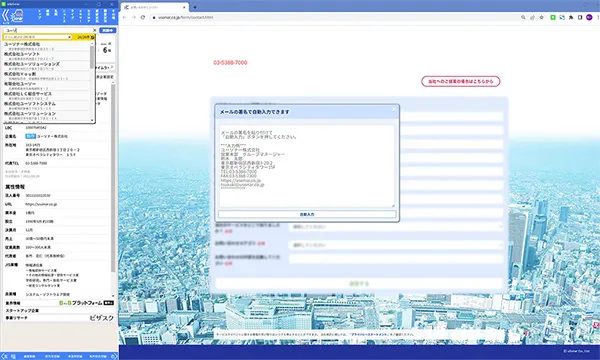
  • Easy Registration Easy RegistrationRegistration & Search Simply paste an email signature to populate forms and prevent user drop-off.
  • Interest Sign Interest SignAssigned Attributes Detect corporate intent that cannot be identified through standard intent data.

STEP 03 Lead Registration, Attribute Assignment, and Analysis STEP 03Lead Registration, Attribute Assignment, and Analysis

  • Company Summary Company SummaryAssigned Attributes Easily verify key company characteristics.
  • Securities Report Summary Securities Report SummaryAssigned Attributes Intuitively visualize performance trends using proprietary charts.
  • Cautionary Alert Cautionary AlertAssigned Attributes Identify companies that require caution, such as those with anti-social affiliations or administrative penalties.
  • Industry Classification Industry ClassificationAssigned Attributes Utilize our proprietary industry classification system specifically optimized for marketing purposes.
  • Advanced Data Matching/NICE Advanced Data Matching/NICEMatching & Integration We provide high-precision data matching and cleansing through LBC-powered automation and manual verification.
  • Online Business Card Exchange Online Business Card ExchangeRegistration & Search Register business cards by capturing email signatures.
  • Suggest Search Suggest SearchRegistration & Search Identify companies by entering partial names or abbreviations.
  • Seminar Business Card Exchange Seminar Business Card ExchangeRegistration & Search Exchange business cards with seminar participants online.
  • Credit (Rating) Credit (Rating)Assigned Attribute Quantify company size with ratings to help determine transaction eligibility and payment terms.
  • Corporate Dissolution Score Corporate Dissolution ScoreAssigned Attribute Rate companies based on their similarity to past dissolved or bankrupt entities.
  • W&G W&GAssigned Attribute Indicators of corporate social integrity, such as health and environmental management.
  • Economic Security Economic SecurityAssigned Attribute Use this to determine if a company requires caution from an economic security perspective.
  • DeepCheck DeepCheckAssigned Attribute Verify various suitability information for business partners and leads directly within your SFA.

STEP 04 Nurturing Promising Leads STEP 04Nurturing Promising Leads

  • Story StoryAssigned Attribute Companies are tagged by various themes, allowing you to use these tags to create targeted lists.
  • News NewsAssigned Attribute Access media coverage information, including press releases.
  • Implementation Tag Implementation TagAssigned Attribute Data-driven insights into the web services currently implemented by companies.
  • Industry Research Industry ResearchAssigned Attributes Review trends and current conditions for each industry.
  • Region RegionRegistration & Search Access market overviews and corporate information organized by region.
  • Product ProductRegistration & Search Access reports and corporate information organized by product category.
  • Patents & Trademarks Patents & TrademarksAssigned Attributes Verify trademarks and patents filed or acquired by companies.
  • M&A Information M&A InformationAssigned Attributes Review the acquisition and divestiture history of companies.
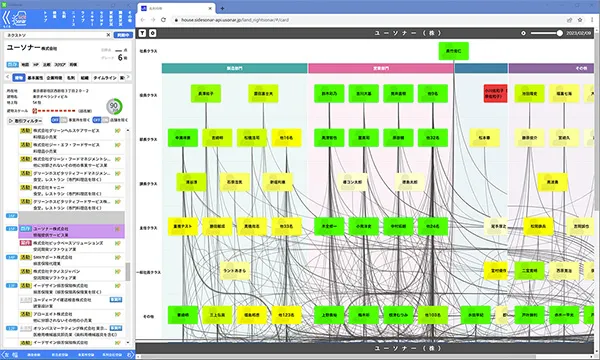
  • Corporate Relationships (Chaos Sonar) Corporate Relationships(Chaos Sonar)Assigned Attributes Visually confirm relationships between companies.

STEP 05 Efficient Sales Activities STEP 05Efficient Sales Activities

  • Name Information Name InformationAssigned Attributes View information regarding names, such as individuals with the same name or the origins of surnames.
  • Personnel Changes Personnel ChangesAssigned Attributes Collect personnel information and reference it linked to corporate data.
  • Major Changes Major ChangesAssigned Attributes Summarize significant changes in corporate information, such as company names, affiliations, and headquarters addresses.
  • Building (Tenant Companies) Building(Tenant Companies)Assigned Attributes Identify corporate entities located within the same building.
  • Map Sonar Map SonarAssigned Attributes View visit locations and sales prospects on a map, and record activity details.
  • Similar Companies Similar CompaniesAssigned Attributes Identify companies similar to the one currently displayed.
  • Meitantei MeitanteiRegistration & Search Narrow down target companies using criteria such as industry, CEO name, characteristics, or product names.
  • Timeline TimelineInternal Information Review activity history and news in chronological order.
  • Talk TalkInternal Information Exchange messages with colleagues.
  • Meeting Sonar Meeting SonarInternal Information Instantly initiate a web meeting with the party you are currently speaking with by phone.
  • Phase (Transaction Status) Phase(Transaction Status)Internal Information Integrate with SFA to verify transaction status and sales phases.
  • Business Card Exchange History Business Card Exchange HistoryInternal Information Review internal business card exchange history.
  • Nearest Station Nearest StationAssigned Attributes Identify the nearest station for the target company.
  • Extension ExtensionInternal Information Use your smartphone as an internal extension.

Applications Tailored
to Your Objectives

uSonar provides a corporate information infrastructure that can be utilized across all departments, including marketing and administration.
We offer a range of applications optimized for your business operations.

Management Strategy Platform

"PLANSonar"

Supporting Sales Strategies for Target Markets
with Japan's Largest Corporate Database

  1. ABM Powered by the Latest Corporate Data
  2. Priority Management for Strategic Lists
  3. Activity Tracking for Each Strategic List

Corporate Information + Business Card Management + Communication App

"mSonar"

Instantly Digitize Business Cards and Integrate with SFA
Fully Utilize Vast Information Even Before Exchanging Business Cards

  1. Keep Exchanged Data Constantly Updated
  2. Collect Corporate Information Before Exchanging Business Cards
  3. Track Activity Status via CRM and SFA Integration

mSonar + CRM/SFA Enhancement

"GuideSonar"

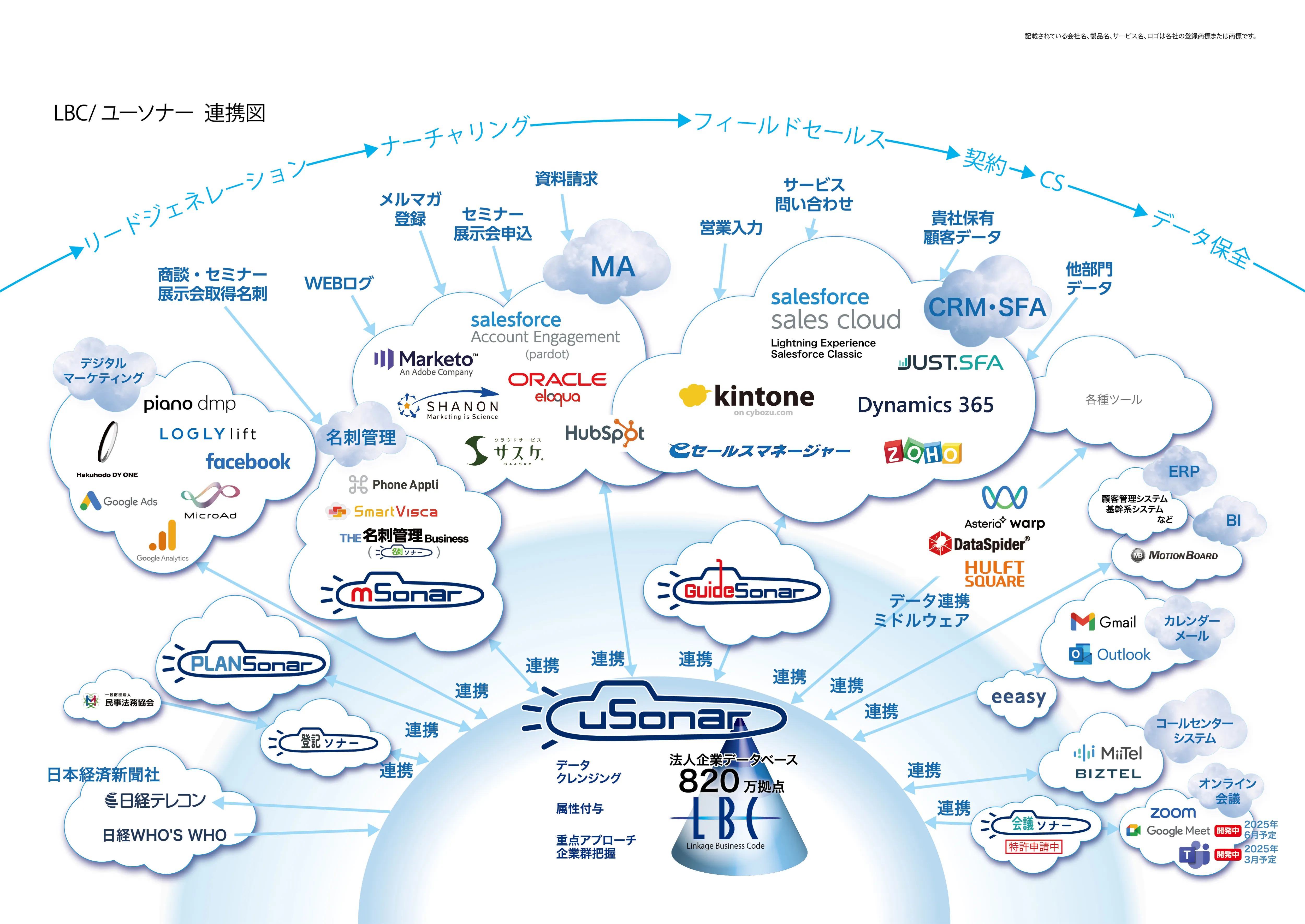
Integrate with CRM/SFA to enable Full Utilization of Corporate Data,
including unregistered companies.

  1. Search Corporate Data Both Inside and Outside Your CRM/SFA
  2. Register Client Information Accurately and Easily
  3. Consolidate Essential Information for Office Work

Provide APIs Capable of Integrating
with Various Services and Applications

CUSTOMER SUCCESSAiming for Maximum Implementation Results
Customer Success

Supporting Implementation, Utilization, and Adoption

01

Supporting Implementation, Utilization, and Adoption

In addition to initial implementation training, we hold regular operational workshops to ensure smooth onboarding for new users.

Immediate Solutions When You Need Help

02

Immediate Resolution When You Need Help

We provide an FAQ site to resolve minor operational questions, as well as support via telephone and email.

Responding to Demands

03

Responding to Customer Requests

We review feedback regarding usability and feature requests on a weekly basis and incorporate them into our development process. We are committed to continuous improvement to ensure our services remain user-friendly.

View Details

CASE STUDYCase Studies

View All Case Studies

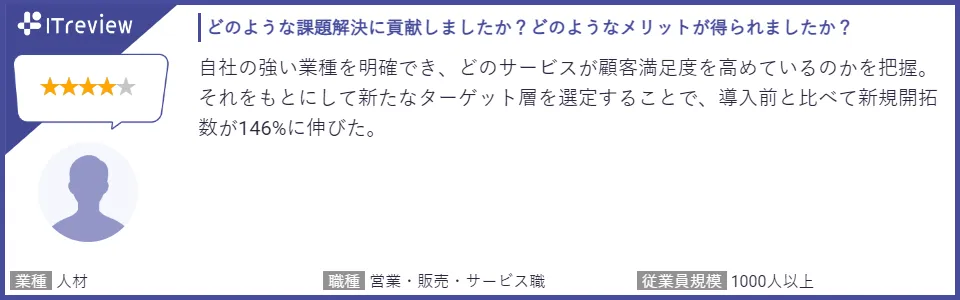
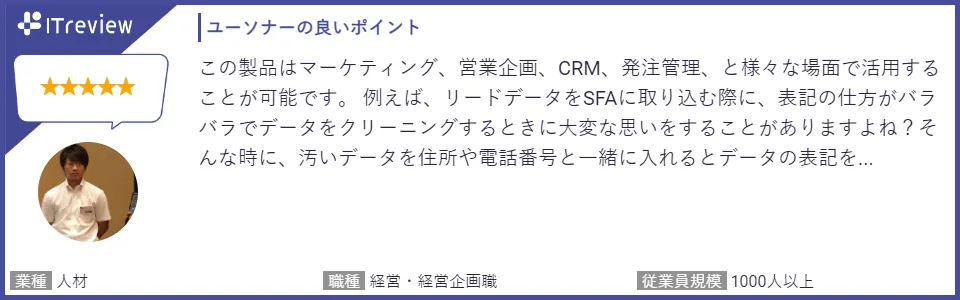
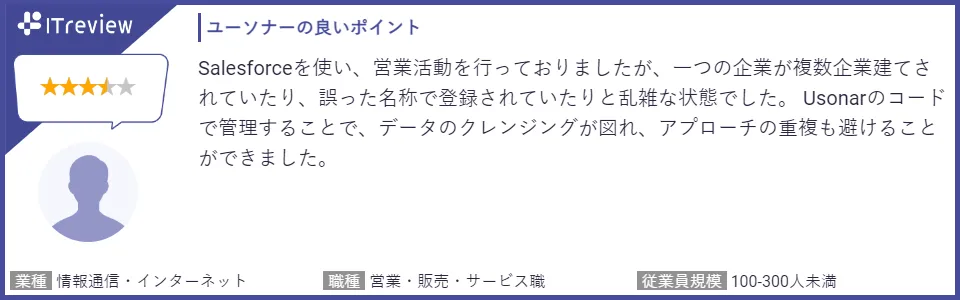
CUSTOMER VOICETestimonials for uSonar

DOWNLOADDownload Brochure

  • Corporate Database LBC / Customer Data Integration Solution uSonar Brochure

    I want to know what uSonar is

    Corporate Database LBC / Customer Data Integration Solution uSonar Brochure

    This brochure explains the various features of uSonar, including data cleansing and whitespace analysis, which utilize the LBC corporate database—one of the largest in Japan—as its core technology.

  • uSonar/LBC Case Study Collection: 10 Leading Companies

    I want to see case studies from various companies

    uSonar/LBC Case Study Collection: 10 Leading Companies

    This document provides a concise summary of the challenges each company aimed to solve and the results they achieved through implementation.

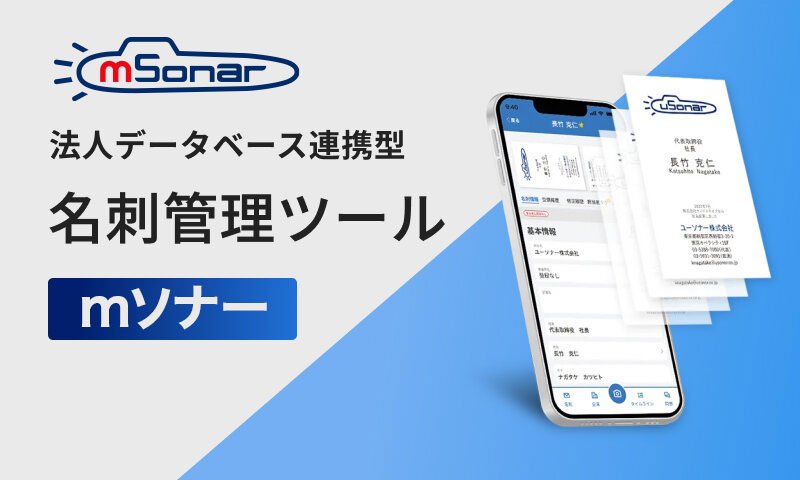
  • Corporate Database-Integrated Business Card Management and Interaction Tool mSonar

    I Want to Learn More About mSonar

    mSonar: Business Card Management and Communication Tool Integrated with Corporate Database

    This is a brochure for the smartphone app mSonar (formerly Meishi Sonar), which manages business cards by referencing uSonar data.

View All Materials

For Urgent Inquiries, Please Call Us03-5388-7000Business Hours: 10:00 AM - 5:00 PM (Closed on Weekends and Holidays)

The Definitive Solution for Sales DX Through Data Utilization

Service Brochure

Understand uSonar in 5 Minutes

Understand uSonar in 5 Minutes

Download Brochure