- CRM/SFA/MA
[5-Minute Guide] What Is CRM Marketing? An Easy-to-Understand Introduction to Analytical Strategies and Benefits
Last Updated: April 22, 2024
Click Here to Learn More About SFA/CRM ▶
Solving SFA and CRM Challenges
What Is the "Truth" That Tool Vendors Won't Tell You?
CRM is a strategic approach to optimizing customer relationships and achieving exponential growth for your business.
This initiative is highly effective for companies facing challenges such as: "We are acquiring new customers, but failing to retain them," "Our sales structure has a low closing rate, preventing us from increasing profits as expected," or "Customer management is being neglected due to frequent changes in personnel caused by staff turnover or organizational restructuring."
In this article, we explain the fundamental concepts of CRM, its specific benefits, the implementation process, and how to select the right CRM tool. By reading this article, you will gain a clear understanding of CRM concepts and their importance, as well as how to leverage them for your own business.
Table of Contents
1-1Definition and Purpose of CRM
1-2Differences Between CRM, SFA, and MA
2Three Reasons Why CRM Implementation Is Considered Important
2-1Rising Customer Acquisition Costs
2-2Increased Man-Hours for Existing Customer Management
2-3Intensifying Competition for Customers
4Three Benefits of Implementing CRM
4-1Enabling Customer Information Sharing Across Departments
4-2Improving the Quality of Customer Relationship Building
4-3Streamlining Customer Support
5The Process of Implementing a CRM
5-1Identifying Internal Challenges
5-3Demo Usage and Implementation
6-2Selecting Based on Scope of Use
6-3Selecting Based on Integration with Existing Tools and Systems
7Supporting CRM Utilization with the Corporate Database uSonar
Recommended Articles
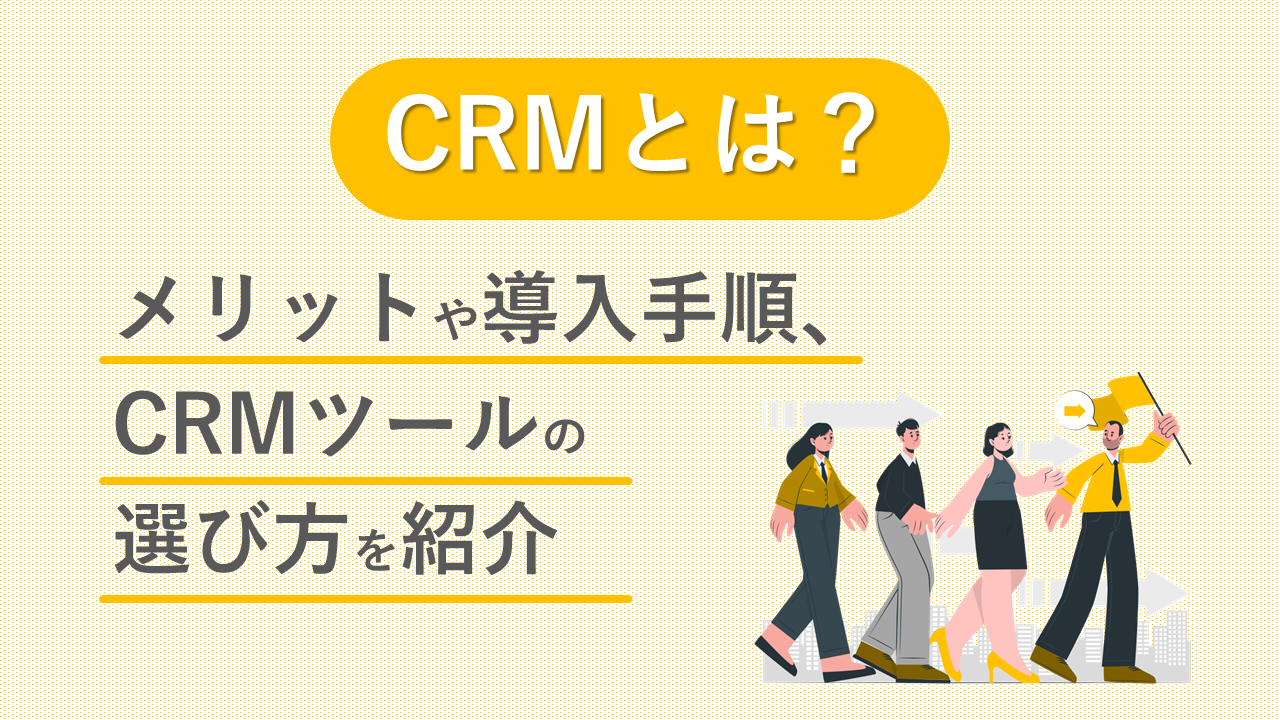
CRM (Customer Relationship Management) refers to the management of relationships with customers. While many companies previously managed customers on an individual sales representative basis, the importance of building customer relationships has increased due to factors such as the declining working-age population caused by an aging society and technological innovations that make it easier to compare and evaluate products and services.
CRM serves as a solution to these challenges and is becoming an essential strategy for business operations.
In a broad sense, CRM refers to "Customer Relationship Management," but for marketers and business operators, it is often used to mean "a tool for managing and visualizing relationships with customers."
The primary purpose of CRM is to "visualize customer relationships and maintain or improve them through optimal approaches and communication."
By inputting customer information (such as business scale, stakeholder information, and challenges) into a CRM, companies can identify high-conversion customers and clarify the needs of high-LTV customers, thereby enabling more results-oriented sales activities.
When researching CRM, many people also become interested in terms like SFA and MA, as they are often explained together.
The table below summarizes the differences and characteristics of CRM, SFA, and MA.
|
Type |
Characteristics |
Recommended For |
|
CRM |
Tools for Analyzing Existing Customers and Visualizing Relationships |
• Aiming to increase sales • Seeking to implement strategic approaches to improve LTV • Wanting to enhance customer satisfaction |
|
SFA |
Tools that enable the visualization of sales activities, progress management of deals for each sales representative, and feedback, thereby achieving efficient sales operations |
• Wanting to achieve efficient sales operations • Build a Sales Structure That Focuses Exclusively on High-Probability Prospects |
|
MA |
A tool that captures customer tracking data and automatically sends emails at the optimal time when customers are ready to use your products or services, thereby nurturing them and increasing their purchase intent. |
• Automate Marketing Operations • Stimulate Interest in Your Products or Services Among Customers Who Have Previously Declined Offers or Attended Free Seminars |
SFA and MA tools are primarily designed for new customer acquisition, whereas CRM tools focus on managing the relationship between your company and its customers. While the distinction between CRM and SFA has become increasingly blurred, with the terms often used interchangeably, it is helpful to remember that SFA and CRM are tools to support sales activities, while MA is a tool to streamline marketing activities.
Recommended Articles:
Customer acquisition costs are rising, making it increasingly important to focus on maintaining and improving relationships with existing customers rather than solely pursuing new ones.
We live in an era saturated with convenient products and services, making differentiation increasingly difficult. As a result, advertising expenditures required to increase brand awareness for new customer acquisition are rising, driving up the overall cost of acquiring customers.
According to the 2022 Information and Communications White Paper by the Ministry of Internal Affairs and Communications, internet advertising costs in Japan have seen a significant increase, reaching approximately 2.7 trillion yen in fiscal year 2021.
Given these trends, the implementation of CRM to maintain and enhance relationships with existing customers is becoming a critical priority over a singular focus on new customer acquisition.
Due to the impact of the COVID-19 pandemic, communication has shifted from traditional face-to-face interactions to remote engagement.
While the shift to remote customer support has helped save time, it has also led to a trend where freed-up resources are being reallocated to handle a larger volume of customers.
As a result, the number of customers and the time required per sales representative have increased. Furthermore, with more staff members balancing customer support with back-office duties, the man-hours required for customer management are on an upward trend.
Implementing a CRM not only allows for the verification of customer information and interaction history but also enables direct communication, such as sending emails to customers directly from the platform. Because CRM implementation is expected to reduce the operational burden of customer support, its importance continues to grow.
The intensifying competition for customers among rivals is another reason why CRM implementation is considered vital. In today's market, which is flooded with similar products and services, customers may easily switch to competitors unless a company provides high-quality support, adapts to current trends, and implements improvements based on customer needs.
To build products that remain competitive, it is essential to quickly identify changing customer needs and implement product improvements accordingly.
CRM helps in identifying these needs by visualizing customer status, usage trends, and patterns in won or lost deals. For this reason, the adoption of CRM is highly prioritized.
For those considering the implementation of a CRM, understanding its core functions is a key decision-making factor.
The basic functions of a CRM are summarized in the table below.
|
Function |
Overview |
|
Customer Management Features |
Features for managing customer data, including deleting, adding, and updating customer information. |
|
Sales Support Features |
Features for managing the entire process from initial negotiation to closing, ensuring no follow-ups are missed and prompting sales activities at the optimal |
|
Inquiry Management Features |
Features for reviewing and managing inquiry content, displaying response templates, and accessing detailed customer information to facilitate smooth inquiry handling. |
|
Analytics and Reporting Features |
Features for analyzing customer purchasing behavior, usage history, and trends in won or lost deals to drive improved results in future sales activities. |
|
File Sharing Features |
Features for sharing documents, images, and video files that were attached to emails. |
|
Schedule Management Function |
A feature that allows departments using CRM tools to share schedules. |
|
Search Function |
A feature that enables users to quickly locate specific information, such as customer data or inquiry details. |
|
Survey Function |
A feature that allows users to create, distribute, collect, and analyze surveys for existing customers. |
|
Email Distribution Function |
A feature that enables flexible email delivery, including mass mailing and targeted step-mail campaigns. |
|
Integration Function |
A feature that enables integration with external systems and tools, such as SFA, MA, Google services, and chat applications. |
Implementing a CRM tool enables customer information sharing across departments, which improves collaboration between sales and back-office teams and strengthens overall sales capabilities. With a CRM tool, authorized personnel can access customer information anytime and anywhere.
Furthermore, because real-time information can be shared promptly, it becomes possible to share high-priority customer lists and suggest the next best actions tailored to the customer's situation.
This facilitates smoother communication between departments and enables effective approaches that lead to successful conversions. A key benefit of CRM implementation is the ability to ensure that high-probability leads are not missed.
Implementing a CRM leads to improved quality in building customer relationships. A CRM can visualize not only basic customer information, such as capital and number of employees, but also purchasing behavior and usage history, allowing you to identify customer preferences and challenges.
For example, if you are running a B2B SaaS business and notice a decline in usage time, it may indicate that employees are struggling to use the tool or that it does not align with their specific needs. To improve usage, you can plan and execute measures such as providing personalized customer success support or developing specific service features to enhance usability.
A major benefit of CRM implementation is the ability to grasp customer dissatisfaction with products and individual challenges, enabling you to take swift action to improve customer satisfaction.
Implementing a CRM also helps streamline customer support. CRM systems include features such as shared knowledge bases for response templates and bulk messaging capabilities, which increase the speed and efficiency of customer interactions.
This allows even less experienced back-office staff to provide professional support, ensuring that high-quality service is delivered quickly.
Before implementing a CRM tool, you should first identify your company's specific challenges. A common pitfall in CRM implementation is treating the introduction of the tool as the end goal itself.
CRM is a powerful tool for building customer relationships, and it is particularly effective when focused on analyzing existing customers to provide tailored proposals and support. Therefore, it may not be suitable for companies whose primary goals are to increase the number of new customer acquisitions, automate new customer acquisition, or reduce the costs associated with lead nurturing.
Identify your objectives and required features before selecting a CRM tool. Key factors to consider during this process include usability, scope of use, and integration with existing services.
While some low-cost CRM tools are available, focusing solely on price can lead to the mistake of prioritizing cost-savings over functionality. Instead, select a tool that helps you achieve your specific goals, such as choosing a user-friendly CRM for your staff or one with robust support features to enhance your customer success initiatives.
Most CRM tools offer trial periods or demo videos before implementation. Since it is difficult to judge a tool based solely on the features and benefits listed on a vendor's website, we recommend utilizing these demos or watching demo videos.
To ensure you select a CRM tool that fits your company, compare services after testing them. The process from selection and comparison to demo usage and final implementation typically takes at least one month. We recommend allowing sufficient time in your schedule when considering implementation.
A common challenge after implementing a CRM tool is ensuring company-wide adoption. Even if a top-down decision is made, if frontline employees struggle with data entry, find the process cumbersome, or experience an increase in workload, the tool will fail to gain traction. Furthermore, if a tool is too complex, it may lead to data errors or the accumulation of outdated information, hindering effective customer management.
Some vendors offer features such as mechanisms to reduce data entry burdens, guidance functions to promote usage, and intuitive user interfaces with drag-and-drop capabilities. By including steps like having frontline employees participate in demo trials before implementation, you can ensure the selection of a CRM tool that is well-suited to your organization.
CRM tools vary widely, ranging from those specialized in building customer relationships to those with extensive sales features for managing daily reports, negotiations, and orders, or those equipped with marketing support functions like lead nurturing and automated email delivery.
If your goal is limited to customer management, you may not require a highly complex tool. However, if you wish to visualize sales activities by linking customer information, project progress, and daily reports, selecting a tool that also includes SFA functionality will likely be a better fit.
Additionally, some CRM tools offer basic customer management with the option to add features later. Be sure to select a tool that aligns with your intended scope of use.
It is also important to select a CRM tool by prioritizing whether it can integrate with the business card management systems, SFA/MA tools, chat services, and scheduling services already implemented within your company.
If integration is not possible, you will need to input and manage data across multiple tools, which may complicate operations or lead to inaccurate analysis results due to data duplication.
uSonar develops and provides a customer integration tool equipped with 12.5 million corporate records.
By cross-referencing your internal customer data with the corporate data contained in uSonar, you can perform data matching and cleansing, allowing you to utilize high-precision data for your sales activities.
For companies aiming for efficient, data-driven sales and fundamental reform of their sales organizations to improve performance, please review our service materials.
The materials introduce uSonar's features, implementation benefits, and case studies of companies that have achieved results through its use.
In this article, we provided a basic explanation of CRM, the benefits of implementing a CRM tool, the implementation process, and how to choose the right CRM tool. While the term CRM itself refers to building customer relationships, in a business operations context, it refers to the tools used to build positive relationships with customers.
CRM is considered essential for future business operations due to factors such as "rising customer acquisition costs," "increased man-hours for managing existing customers," and "intensifying competition for customers with rivals." Implementing a CRM tool offers benefits beyond just "ease of management" compared to Excel due to its rich search functions and analysis methods; it also enables "information sharing across departments," "improved quality of customer relationship building," and "streamlined customer support."
When implementing a CRM tool, it is important to "choose a tool that can solve your company's specific challenges," so be sure to identify the issues you wish to resolve before implementation.
About the Author

uSonar Editorial Department
MX Group, Editor-in-Chief
We are the uSonar Editorial Department.
We provide information on data utilization and digital technology useful for considering future business practices, primarily for companies engaged in B2B operations.
uSonar is utilized by various companies
across all industries and sectors.
ITreview Grid Award 2026 Summer
Leader in 6 Categories
With uSonar,
we can help solve your company's challenges!
Case Studies and Sample Reports
Available for Download