- CRM/SFA/MA
What Is the Difference Between CRM and SFA? A Fundamental Guide to Comparing Features and Selecting the Right Solution
Last Updated: April 22, 2024
To implement optimal marketing and sales activities for each individual customer and improve customer satisfaction, it is essential to establish a system that centrally manages customer information and enables effective organizational utilization. CRM (Customer Relationship Management) is a recommended solution that helps achieve this.
This article provides an easy-to-understand explanation of the overview of CRM, its necessity, benefits, and drawbacks in marketing, as well as the differences between CRM, SFA, and MA. We also introduce key points for product selection, so if you are interested in CRM or face challenges in managing and utilizing customer information, please use this as a reference.
Table of Contents
2The Importance of CRM and the Background of Its Growing Attention
2-1Responding to Diversified Consumer Needs
2-2Improving LTV and Retaining Existing Customers
4-1Improve Operational Efficiency
4-2Enhance Customer Satisfaction
4-3Facilitate Customer Information Sharing
5-1A Long-Term Perspective Is Required
5-2Initial Implementation Costs Are Required
6Differences Between CRM and SFA
7Differences Between CRM and MA
8-1Usability
Recommended Articles
What Is the Difference Between CRM and SFA? A Fundamental Guide to Comparing Features and Selecting the Right Solution
[5-Minute Read] What Is CRM Marketing? An Easy-to-Understand Guide to Analytical Strategies and Benefits
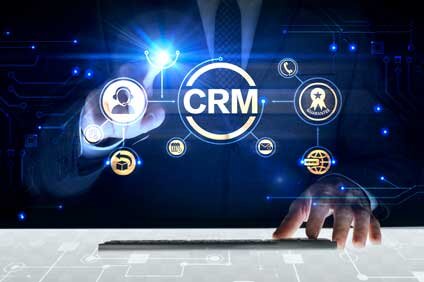
What Is a CRM Strategy? An Overview of Benefits, Implementation Methods, and Customer Management System Adoption
CRM stands for Customer Relationship Management and refers to IT tools used for managing customer data. CRM centralizes customer information, helping businesses nurture relationships with leads and existing customers. As a result, users benefit from streamlined customer management, improved customer satisfaction, and enhanced data accessibility.
Body EndWhy is CRM important for businesses? Below, we explain the significance of CRM and the background behind its growing popularity.
Body EndWith the widespread adoption of the internet and social media, information has become easily accessible, leading to a diversification of modern consumer needs and values. In this environment, providing highly satisfying services to each individual customer requires a detailed understanding of their specific needs and the execution of personalized strategies.
This is where CRM, which allows for the centralized management of customer information, becomes increasingly important. CRM can store vast amounts of insights—such as age, gender, purchase history, and inquiry history—that are essential for understanding customer needs, thereby helping businesses respond to diverse consumer demands.
Body EndIn today's market, which is saturated with similar products and services, it has become difficult to differentiate from competitors based solely on quality or price. Consequently, the cost of acquiring new customers is on the rise. In such a situation, shifting focus from new customer acquisition to retaining existing customers and increasing the Lifetime Value (LTV) of each individual is becoming a highly effective strategy. The rise of subscription-based services is also a factor accelerating this trend.
To retain existing customers, it is necessary to improve customer satisfaction and loyalty. As discussed later, CRM is equipped with various features—including customer analysis, marketing support, and customer service tools—that help maintain relationships with existing customers, making it a high-demand solution that meets modern business needs.

CRM is characterized not only by its ability to store customer information but also by its wide range of features designed to utilize that data effectively. Below, we introduce the main functions of CRM.
Body EndCustomer management is the core function of CRM. It allows for the management of all customer-related information, including basic data such as name (or company name), age, gender, and address, as well as transaction history, customer support inquiry history, and sales meeting schedules. Because data stored in the CRM can be shared in real-time with the sales team and other departments, the entire organization can leverage customer information for business purposes. For example, by using CRM to segment customers, businesses can provide better services more efficiently.
Body EndCRM is equipped with features for multi-faceted analysis and reporting based on stored customer information. By using these features to visualize metrics such as profitability, customer retention rates, and the effectiveness of marketing campaigns, businesses can more easily formulate effective marketing strategies. CRM serves as the foundation for data-driven marketing.
Body EndSome CRM products allow for promotion management, such as the automated distribution of emails and coupons based on individual customer attributes. By automating these workflows, sales representatives can save time, avoid duplicate tasks, and complete appropriate actions at each stage of the sales process. Since it is also possible to track how many of the distributed items were opened by customers, this leads to the improvement of marketing campaigns.
Body EndCRM also includes features that support customer service. Specifically, it allows for the management of customer inquiries and their response history. By centralizing inquiries from multiple channels—such as web forms, email, and phone—businesses can expect to reduce response times and prevent duplicate responses. Additionally, CRM can be used to create help pages, inquiry forms, and customer satisfaction surveys. Leveraging these CRM features makes it easier to provide personalized customer support, which is expected to improve customer satisfaction.
Body EndWhat benefits can companies gain by utilizing the various features of CRM? Below, we introduce the advantages of using CRM.
Body EndThe first benefit of CRM is improved operational efficiency. Using CRM allows for the integrated management of all customer data across all channels. This makes managing and accessing customer data more efficient, ensuring that necessary information is available when needed. In particular, as many modern cloud-based CRMs are mobile-compatible, the ability to check customer information anytime, anywhere using a smartphone is a significant advantage.
Furthermore, by analyzing customers based on CRM data, businesses can identify high-profit or high-conversion-potential customers. Using features like the aforementioned promotion management can also automate tasks such as email distribution, significantly increasing sales efficiency.
Body EndThe second benefit of CRM is improved customer satisfaction. By implementing CRM and accumulating customer information, companies can build comprehensive customer profiles, allowing for a deeper understanding of each customer's needs and values.
This enables timely and optimal proposals for each individual, resulting in improved customer satisfaction and LTV. Being able to provide the best proposals to each customer also leads to a reduction in sales and marketing costs.
The third benefit of CRM is the ease of sharing customer information. Personal information and interaction history tend to be held by individual representatives, which can lead to the "siloing" of tasks and make appropriate management difficult. Furthermore, if departments use separate databases, communication gaps are likely to occur, making it difficult for the organization to act consistently.
By implementing CRM and consolidating customer information, the entire company can integrate this data, and anyone can access the necessary information in real-time. This allows managers to monitor the progress of each sales representative's meetings and provide follow-up as needed, or collaborate with marketing and customer support departments to provide higher-quality services.
While there are many benefits, there are several points to keep in mind when implementing CRM. Below, we introduce the disadvantages of using CRM.
Body EndThe first disadvantage of CRM is that immediate results are difficult to expect. CRM is not a solution that will instantly transform operations or increase sales upon implementation. Due to the nature of CRM, companies that lack sufficient customer data may find it difficult to realize the benefits immediately. In such cases, the first step must be to enrich the customer data entered into the CRM.
Even when customer data is sufficient, it takes time to analyze that data, reflect it in sales and marketing strategies, and see customers respond to those strategies in a way that improves LTV. Therefore, companies implementing CRM are required to maintain a mid- to long-term perspective.
Body EndThe second disadvantage of CRM is the need for initial costs. While it varies by product, implementing CRM involves significant financial costs, such as initial setup fees and licensing fees.
Additionally, if customer information was previously managed in spreadsheets or separate databases, work is required to integrate that information into the CRM. Since a tool is useless if it cannot be utilized effectively, it is important to establish a system that allows for the effective use of CRM, including employee training.
Body EndAn IT solution highly relevant to CRM is "SFA." SFA stands for Sales Force Automation and is a system designed to support sales activities. The role of SFA is to assist in the efficiency and automation of sales operations. Both CRM and SFA share the broad goal of streamlining sales activities. So, what is the difference between the two?
Simply put, the main difference is that SFA is a tool for acquiring customers, whereas CRM is a tool for maintaining and managing good relationships with customers after acquisition. SFA provides features to support daily tasks, such as managing the progress of sales meetings, reporting on contracts, checking quota achievement rates for individuals or departments, and creating daily sales reports or estimates. In contrast, the main function of CRM is to collect and centralize data regarding customers for the purpose of maintaining future relationships.
It is important to understand that CRM and SFA are not a matter of which is superior, but rather that they are complementary when integrated. In fact, some CRM products include SFA features as part of an integrated solution.
Body EndLet us also confirm the differences between CRM and MA. MA stands for "Marketing Automation," a tool that enables the cultivation of new customers and the automation of customer communication.
The difference between CRM and MA lies in the fact that while MA is a solution for discovering and approaching prospective customers to nurture leads, CRM is responsible for maintaining relationships after they have become customers. In this sense, the difference between CRM and MA is analogous to the difference between CRM and SFA. That said, MA is positioned as a stage prior to SFA. Another difference is that while CRM and SFA are primarily intended for use by sales departments, MA is a solution designed for use by marketing departments.
MA, CRM, and SFA have a complementary relationship. By integrating MA, CRM, and SFA, companies can build a system that allows marketing and sales departments to collaborate more effectively—for example, by handing off leads nurtured in MA to SFA to help close deals, and then using CRM to cover subsequent relationship maintenance.
Although we refer to it simply as CRM, there are actually many products available, so many people may find it difficult to choose the right one. Therefore, we will conclude by introducing key points for selecting a CRM that is suitable for your company.
First, thoroughly consider the functions your company requires from a CRM. If requirements are not met, inconveniences will arise; conversely, if you introduce a product with excessive features beyond your requirements, it will likely lead to wasted costs. A good tip for clarifying functional requirements is to prioritize them by categorizing them into "must-have features" and "nice-to-have features."
Furthermore, no matter how feature-rich a product is, you cannot expect high adoption results if the staff who will actually use the product cannot master it. There are cases where, as a result of introducing a product with poor operability, it fails to permeate the workplace and ends up being a waste of resources. Therefore, when choosing a product, it is important to select one that is easy to use, while also considering the IT skills of the staff on the front lines. If a product offers a free trial version, it is a good idea to try that first.
Compatibility with other tools is also a point that should be verified. Because customer information is useful for various purposes, CRM is often used in conjunction with other tools. For example, the SFA and MA mentioned above are prime examples.
Therefore, when introducing a CRM, it is important to understand how robust its integration features are with external tools. We recommend prioritizing and selecting based on compatibility with existing tools your company already uses, as well as tools you plan to introduce in the future.
The quality of the support structure is also an important point. This is a point that should be prioritized, especially for companies that are inexperienced in the introduction and operation of CRM.
For example, check the quality of support by researching factors such as help desk business hours, communication methods with the vendor, and the speed of troubleshooting, as well as by checking reviews. If the product is from an overseas company, it is also necessary to pay attention to whether support and manuals are available in Japanese.The security level of the product is a point that must not be forgotten. Since CRM accumulates customer personal information, the robustness of security is extremely important. If customer personal information were to be leaked, the company's social credibility would be significantly damaged, and there is a risk of a negative impact on sales.
However, to ensure robust information security, it is important not only to have tool features but also to thoroughly improve the security awareness of employees. This is even more necessary today, as many companies have adopted remote work, increasing the opportunities to use systems and data outside the office. If you have concerns in this area, consider conducting compliance training in conjunction with the introduction of the tool.CRM is an IT tool designed to centrally manage all information related to customers and to build and maintain positive relationships between a company and its customers. By utilizing CRM, companies can deepen their understanding of each individual customer, making it easier to provide products and services with high customer satisfaction and to develop cost-effective marketing strategies.
Furthermore, as the diversification of consumer values progresses, the introduction and utilization of CRM are becoming increasingly important to efficiently cultivate new customers while continuously retaining existing ones. Therefore, to further advance and streamline each sales and marketing process, it is effective to use the customer data integration solution "uSonar," which utilizes one of Japan's largest corporate databases.
By utilizing uSonar, you can seamlessly manage data, perform analysis, and execute strategies in a consistent manner—from approaching prospective customers to following up with existing ones—through integration with your CRM. By keeping customer information accurate and up-to-date at all times, you can realize more precise targeting strategies and long-term customer cultivation, supporting the growth of your entire business.
About the Author
uSonar Editorial Department
MX Group Editor-in-Chief
This is the uSonar Editorial Department.
We provide information on data utilization and digital technologies useful for B2B companies to rethink their future business operations.
uSonar is utilized by various companies
across all industries and sectors.
ITreview Grid Award 2026 Summer
Leader in 6 Categories
With uSonar,
we can help solve your company's challenges!
Case Studies and Sample Reports
Available for Download