As corporate digital transformation (DX) progresses, an increasing number of companies are implementing diverse systems for each department, such as CRM, MA (Marketing Automation), SFA, and ERP. However, as the number of systems grows, many organizations report challenges such as "necessary data being trapped in other departments and inaccessible" or "information on the same customer existing in fragmented states across different systems."
This state is known as "Data Siloing" and is considered one of the primary barriers to promoting effective data utilization. If left unaddressed, siloing can lead to the accumulation of invisible losses, such as reduced sales efficiency and distorted management decision-making.
In this article, we will define data siloing, explore its causes and the challenges it creates, and explain the process of achieving centralized management through "Data Matching" and "Data Cleansing."
What Are Data Silos?
Data silos refer to a state where data is stored in isolation by department or system, making it impossible to reference or utilize across the organization. The term "silo" refers to a tower-like warehouse for storing grain; it is used as a metaphor for fragmented data environments because each silo stands independently and does not connect with the outside.
Siloing is not merely a problem of specific tools; it is often said to occur naturally due to organizational structures and business processes. The main causes are as follows.
- System Implementation Optimized for Individual Departments
When each department selects systems to prioritize its own operational efficiency—such as SFA for sales, MA for marketing, and ERP for accounting—data storage locations become dispersed. Even if these are rational decisions at the time of implementation, they often result in silos because data integration from a company-wide perspective was not considered.
- Vertical Organizational Structure
If a culture or set of rules for sharing data between departments is not established, data tends to be hoarded as "departmental assets." As long as incentives for sharing and the location of responsibility remain ambiguous, a de facto siloed state is likely to persist even if systems are integrated.
- Inconsistent Data Formats and Granularity
Even when dealing with the same "customer," the granularity may differ by system—such as by company, business site, or individual contact—or the naming and address conventions may vary. Data that lacks standardized formats cannot be mechanically matched, resulting in a state of de facto fragmentation.
Challenges Caused by Siloing
Leaving a siloed data environment unaddressed is said to impact a wide range of areas, from operational efficiency to management decision-making. The representative challenges are as follows.
- Operational Inefficiencies Due to Duplicate Data
When information for the same company exists as separate records across multiple systems, it leads to waste, such as sales representatives inadvertently approaching the same company multiple times. Sending new customer promotions to existing clients not only increases operational costs but also leads to a decline in customer trust.
- Deterioration of Data Quality
Inconsistencies in company name formatting (e.g., using full legal names versus abbreviations) and outdated information due to relocations or name changes are particularly prone to occurring in environments where data is managed in silos. Initiatives based on low-quality data lack precision and can undermine internal confidence in data utilization itself.
- Distortion of Management Decisions
When the source data for aggregation differs by department, it becomes impossible to determine which figures are accurate, causing meetings to be consumed by reconciling numbers. The absence of a Single Source of Truth (SSOT) is believed to reduce both the speed and accuracy of decision-making.
- Security and Governance Risks
When data storage is decentralized, it becomes difficult to centrally monitor who has access to which information. From the perspective of personal information protection, the persistence of unmonitored data remains a significant risk factor.
Business Benefits of Centralized Management
Eliminating silos and centralizing data management is said to provide the following business benefits:
- Improved Quality and Speed of Decision-Making
By having all departments reference the same integrated data, an SSOT is established, eliminating the need for verification tasks caused by discrepancies in figures. Management can make rapid decisions based on an accurate, holistic view of the business.
- Advancement of Sales and Marketing Activities
Gaining a unified view of customer company information enables strategic, account-based approaches such as Account-Based Marketing (ABM). Linking marketing-acquired leads with sales negotiation information also leads to providing a consistent customer experience across departments.
- Operational Efficiency and Cost Reduction
The elimination of duplicate data reduces wasteful tasks such as redundant outreach and manual data reconciliation. It also enables the reduction of costs associated with each department purchasing and maintaining data independently.
- Strengthening of Data Governance
By clarifying the location and management responsibility of data, it becomes easier to organizationally ensure the control of access rights and the appropriate handling of personal information. Centralized management is considered an effective foundation for audit compliance and regulatory adherence.
Processes for Eliminating Data Silos and Achieving Centralized Management
Eliminating data silos is not achieved simply by gathering data in one location. Generally, it is advanced through the following processes.
- Step 1: Data Inventory and Current State Assessment
Visualize which departments hold what data, in which systems. Organizing data fields, record counts, update frequencies, and management responsibilities serves as the foundation for subsequent integration design.
- Step 2: Data Cleansing
Data cleansing refers to the process of detecting, correcting, and formatting inconsistencies such as variations in notation, missing values, errors, and duplicates. Examples include standardizing company name prefixes and suffixes, unifying address and phone number formats, and reflecting information on defunct or relocated companies. It is said that data that has not undergone cleansing significantly reduces the accuracy of subsequent data matching.
- Step 3: Data Matching
Data matching refers to the process of identifying and consolidating records of the same company or individual scattered across multiple databases into a single record. To link the same company with different notations, it is effective to use multi-item verification such as company name, address, and phone number, and to assign a unique integration key (company code) to identify the company. The accuracy of data matching is considered to determine the reliability of the entire centralized data set.
- Step 4: Aggregation into an Integration Platform and Integration Design
Aggregate the cleansed and matched data into an integration platform such as a CDP or DWH (Data Warehouse). Establish connections with existing CRM and MA systems via API or ETL to create an environment where each department can reference the integrated data during daily operations.
- Step 5: Continuous Operation and Monitoring
Because corporate data changes daily due to relocations, name changes, and organizational restructuring, quality will deteriorate again if left unattended after initial integration. It is important to establish update rules and quality metrics, and to incorporate periodic cleansing and data matching into ongoing operations.
Roles Required to Achieve Centralized Management
To succeed in centralized data management, it is said that the following roles are necessary.
- Data Architect
Designs the company-wide data integration policy and is responsible for defining integration keys and standardizing data models. This is a core role that determines the structure for integrating data that varies in granularity and format across different departments.
- Data Engineer
Implements data cleansing, matching processes, and system-to-system data integration. This role is responsible for translating designs into functional mechanisms, including building ETL pipelines and developing API integrations.
- Data Steward
Responsible for the continuous management of integrated data quality. This role maintains the reliability of centralized data by monitoring quality metrics, managing update rules, and responding to inquiries from various departments.
- Business Project Manager
Organizes requirements from user departments such as Sales and Marketing to ensure integrated data is effectively utilized in practical operations. By feeding field feedback back to the design team, this role serves as the cornerstone for ensuring that data integration delivers tangible value.
Conclusion
We summarize the key points of this article in three areas: (1) Data silos refer to a state where data is isolated by department or system and cannot be utilized company-wide; (2) If left unaddressed, this leads to widespread losses, such as duplicate approaches and distorted management decisions; (3) The key to a solution lies in centralized management through cleansing and matching, combined with continuous operational maintenance.
Data silos occur naturally as a result of departmental optimization and are a challenge that can arise in any company. To resolve this, we believe three elements are essential: ensuring quality through data cleansing and matching, establishing an integration platform, and maintaining a continuous operational structure.
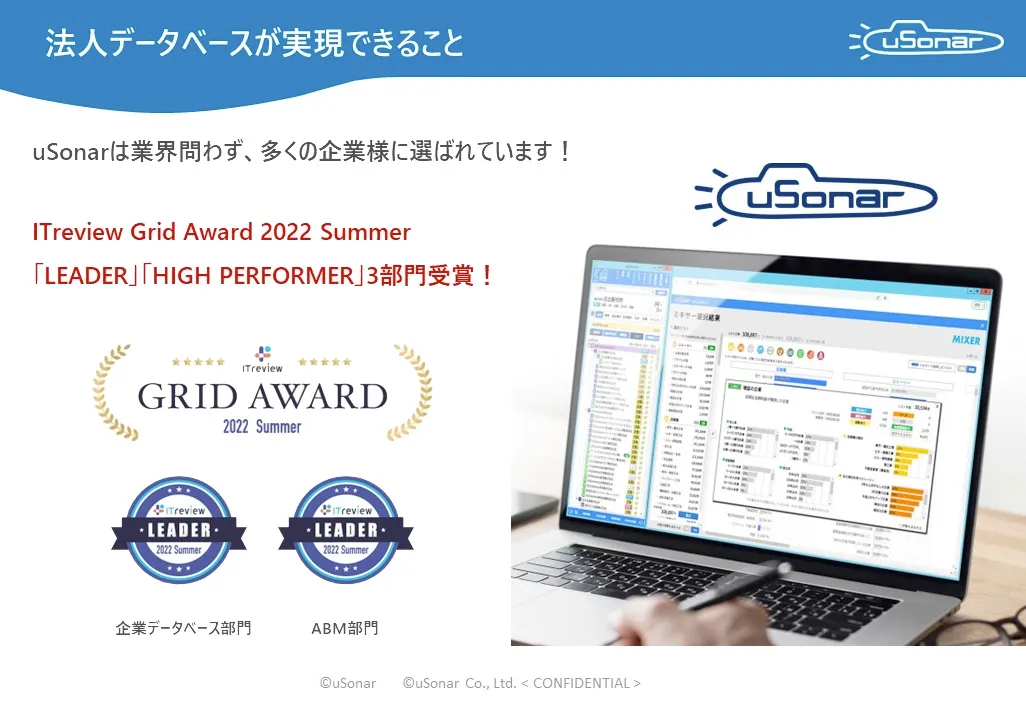
Our customer data integration solution, uSonar, provides the functionality to integrate and centrally manage siloed internal customer data. In addition to managing customer information using our proprietary LBC code system, it enables high-precision matching utilizing one of Japan's largest corporate information databases, as well as the continuous acquisition of high-freshness external information.
For more details, please feel free to contact us via this page.