- Data Utilization
- Sales Strategy
What Is Sales DX? A Comprehensive Guide to Its 5 Key Benefits, Importance, and Success Factors

Last Updated: October 20, 2023
Click Here to Learn More About SFA/CRM ▶
What Are the 5 Key Points
for Effective SFA Utilization?
Many companies have already implemented SFA, starting with the goal of streamlining sales activities and aiming for the promotion of digital transformation (DX). However, while adoption is progressing, many organizations may not be seeing the expected results.
In this article, we explain how B2B sales and marketing professionals can effectively leverage SFA to drive sales performance.
Table of Contents
1What Is SFA and What Does It Do?
1-1Requirements for Achieving Results with SFA
2Reasons Why SFA Fails to Gain Internal Adoption
2-1Lack of Familiarity with IT and System Utilization
2-2Environment and Digital Literacy
2-3Cumbersome Data Entry Requirements
3Challenges in Data Utilization
3-1Is Customer Information Always Up to Date?
3-2Inaccurate Analysis Due to Duplicate Data
4Transforming Business Through SFA Data Utilization
4-1Empowering Sales with Marketing Capabilities
4-2SFA and MA Integration Overview
5Two Case Studies of Successful SFA Implementation
5-1Case Study: Business Breakthrough, Inc.
Recommended Articles
What Is Sales DX? A Comprehensive Guide to Its 5 Key Benefits, Importance, and Success Factors

Seminar Report:
Three kintone × uSonar Users Share Insights
Practical Examples of Operational Efficiency and Sales Transformation!
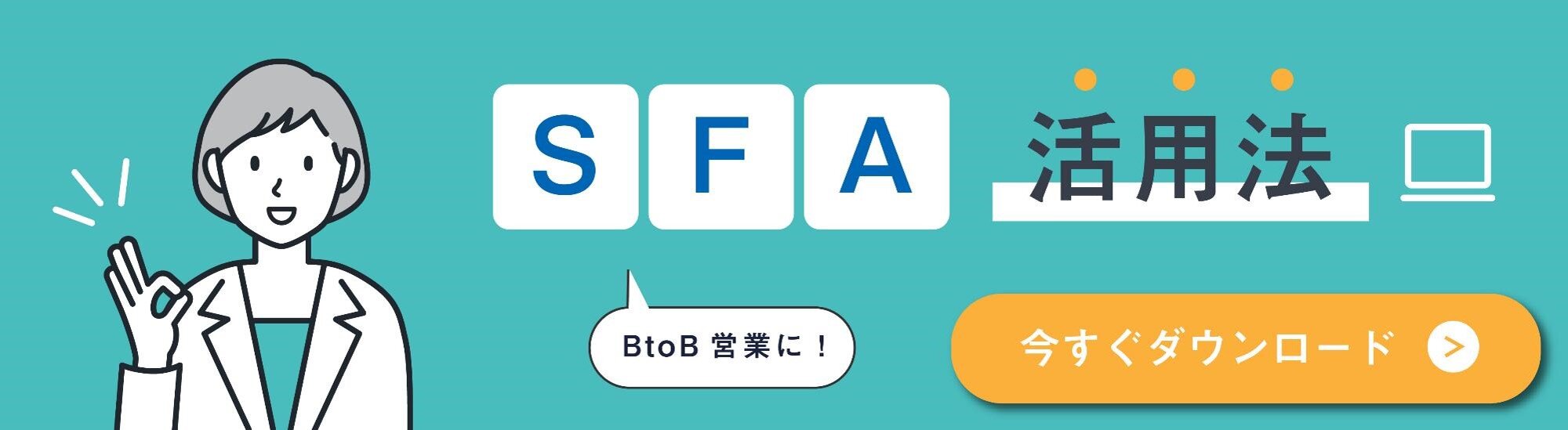
SFA, which stands for Sales Force Automation, is commonly referred to in Japan as a "Sales Support System" or "Sales Support Tool."
As the term "sales support" implies, it primarily provides the following functions.
By utilizing these functions, it becomes possible to incorporate digital tools and data into sales activities that were previously managed analogically and were dependent on individuals, thereby systematizing the sales process.
The primary objective of utilizing SFA is, of course, to "Expand Sales," and to achieve this, it is essential to streamline daily sales activities.
However, the benefits of SFA can only be realized when the sales representatives in the field actively and widely utilize the system.
Therefore, after implementing SFA, it is necessary to ensure it is adopted as widely as possible throughout the company to maximize its effectiveness.
First, let us examine the reasons why SFA often struggles to gain traction within an organization.
For sales representatives who conduct face-to-face negotiations, their skills are often cultivated through experience, leading to a lack of familiarity with relying on systems, tools, or data.
To ensure continued usage, it is essential for users to realize that leveraging systems, tools, and data will make their sales activities more efficient, easier, and ultimately lead to better results.
To achieve this realization, it is important for them to use the data they have entered in their next negotiations and daily communications with customers. To facilitate this, they must first begin using the SFA daily—starting with simple tasks like daily reports or meeting histories—to accumulate data.
If understanding cannot be reached, it is effective to start by having a specific department or a select group of individuals use the system, then gradually expand it to the entire company.
The hurdles that arise when introducing IT tools, including SFA, are often largely due to the environment.
In workplaces where more than half of the staff spend little time on office work or rarely use computers, low digital literacy regarding basic PC operation becomes a barrier even before the adoption of SFA.
For such team members, we recommend an SFA that can be operated via smartphones or tablets, in addition to providing training and development programs.
Since they use smartphones on a daily basis, you can expect them to become intuitively accustomed to the interface.
The effectiveness of an SFA depends on recording daily sales activities in as much detail as possible to track progress and identify trends.
By applying the collected data to actual sales activities, you can execute optimal sales strategies, improve conversion rates, and increase the number of closed deals.
However, because sales representatives are inherently busy, having too many data fields to fill out makes it difficult for them to keep up.
Amidst various tasks such as handling phone calls, preparing documents, and attending meetings, they must also manage the parallel responsibility of recording activity logs and customer information.
This increases their workload and, rather than improving efficiency, may actually hinder their ability to provide quality service to valued customers.
To address this issue, it is necessary to simplify data entry tasks, such as by eliminating unnecessary fields.

While SFA systems offer many features, the most direct path to successful utilization is ensuring that sales representatives on the front lines input data consistently.
Achieving internal adoption is a significant challenge, yet it is essential to collect as much accurate data as possible within the SFA.
In addition to basic information such as industry and number of employees, it is necessary to constantly update critical information for effective communication, such as address changes and changes in corporate officers.
However, having sales representatives manually update all customer information is extremely time-consuming.
Relying on manual input also makes it difficult to avoid entry errors or verify the accuracy of the information.
In this case, we recommend integrating your SFA with an external database that can supplement your customer information. By integrating an external database, you can automatically update customer information within your SFA.
Even if you gain the understanding of your team members and they learn how to operate the system through training, if the input data is inaccurate, performing analysis using that data becomes difficult.
For example, data duplication often occurs, such as when the same customer is registered twice by different representatives.
This happens frequently as the number of users increases and the volume of registered customer data grows.
If unmaintained, outdated data is left as is, you will be unable to effectively utilize the data in your SFA.
These challenges can also be resolved by leveraging an external database. It is essential to create an environment that allows sales representatives to focus on communicating with customers.
If you are aiming to achieve full-scale sales efficiency using SFA, we recommend implementing MA (Marketing Automation) simultaneously.
MA is a tool that automates email distribution, acting on behalf of your sales representatives to follow up with dormant or lost leads that they may not have the capacity to manage.
While SFA is typically used by the sales department and MA by the marketing department, integrating these two systems leads to more efficient sales activities.
Expected benefits include the ability to build a mechanism that automatically detects prospective customers or ensures that no potential leads are overlooked.
Let's look at an example of how your sales activities will change when using both SFA and MA.
In this way, the role of MA is to automatically follow up with customers who did not convert immediately, relieving sales representatives who are often occupied with new business opportunities.
By integrating MA with SFA, you can create a framework where the marketing department supports customer communication, which was previously handled solely by the sales department.
Once SFA usage becomes ingrained within the company and data can be effectively utilized, data-driven operations can be advanced across the entire organization, not just within the sales department.
You can maximize the effectiveness of your implementation by integrating your SFA with the SFA integration tool uSonar.
We would like to share two examples of SFA utilization from our clients.
1. Case Study: Business Breakthrough, Inc.
2. Case Study: Demaecan Co., Ltd.
Business Breakthrough, Inc. standardized operations through a cross-departmental system, leveraging SFA to achieve a 20% increase in new business opportunities and a twofold increase in direct mail response rates.
• Standardizing Fragmented Business Processes
• Building an Integrated System to Centralize Customer Information
• Extensive Track Record of Integration with Salesforce
• Unparalleled Quality and Volume of Data, Covering Even Branch Offices and Business Locations
• 120% Increase in New Business Opportunities
• Twofold Increase in Direct Mail Response Rates
• Established Cross-Departmental Utilization, Including Accounting and General Affairs
For more details on this case study, click here
Demaecan Co., Ltd. achieved strategic expansion of its member stores using one of Japan's largest corporate databases. By integrating this corporate database, they promoted SFA utilization, reduced operational man-hours by approximately 17 million yen annually, and enabled data utilization that is highly valued by frontline staff.
• Issues with the Comprehensiveness and Reliability of Store Information Required for Developing Sales Strategies
• Ability to Integrate with Salesforce and Utilize Data for DX Promotion
• High Reliability of Information with Over 800,000 Restaurant Entries Registered
• Enabled the Development of Precise Sales Strategies, Leading to More Efficient Sales Activities
• Reduced Man-Hours for Store Information Maintenance and Updates by 60%, Saving Approximately 17 Million Yen Annually
• Streamlined Back-Office Operations Such as Simplified Anti-Social Force Checks
For more details on this case study, click here
 ☆-☆-☆ Body End ☆-☆-☆
導入から浸透、そしてデータの活用まで、道のりは決してラクではないSFAですが、今回お伝えした課題とポイントがお役立ていただければありがたいです。
Download Free eBook
Furthermore, by integrating external databases with your SFA, you can eliminate the manual effort required to maintain customer information. You can also register data that is difficult to collect manually, such as executive changes and group company information, thereby increasing internal utilization rates.
For more information on effective sales data utilization through the integration of SFA (MA) and external databases, please refer to this article!
Video Explanation: How to Utilize Japan's Largest Corporate Database for Sales
https://usonar.co.jp/blog/5999.html
About the Author

uSonar Editorial Department
MX Group, Editor-in-Chief
We are the uSonar Editorial Department.
We primarily provide information on data utilization and digital technologies that are useful for B2B companies to consider the future of their business operations.
uSonar is utilized by various companies
across all industries and sectors.
ITreview Grid Award 2026 Summer
Leader in 6 Categories

With uSonar,
we can help solve your company's challenges!
Case Studies and Sample Reports
Available for Download
















